The replay keeps a webinar earning after the airing. The Replay tab decides who can watch, for how long, with or without the offer and the chat.
Where to find it:
Open the webinar, then the Replay tab.
The settings:
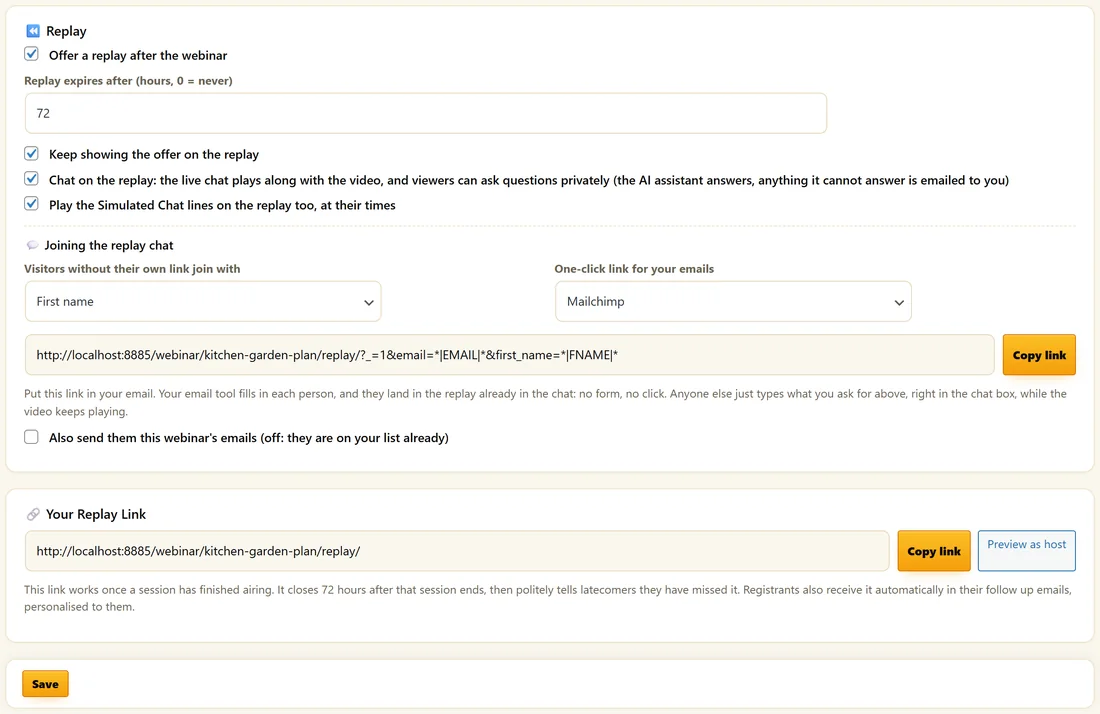
- Offer a replay after the webinar. On or off.
- Replay expires after (hours, 0 = never). From 0 to 720, 72 by default.
- Keep showing the offer on the replay. Off keeps the offer for live viewers only.
- Chat on the replay. The live chat plays along with the video, and viewers can ask questions privately. The AI assistant answers, and anything it cannot answer is emailed to you.
- Play the Simulated Chat lines on the replay too, at their times.
Joining the replay chat:
People who open the replay from a plain link, not their own, can join the chat without registering.
- In Visitors without their own link join with, choose First name, Email, or First name and email. They type it in the chat box while the video keeps playing.
- In One-click link for your emails, pick your email tool: AiX Mailer, AWeber, GetResponse, Mailchimp, ActiveCampaign, Kit (ConvertKit) or Sendy.
- Click Copy link and put it in your email. Your email tool fills in each person, and they land in the replay already in the chat, with no form.
- Tick Also send them this webinar's emails if you want those people to get the follow ups. Leave it off when they are on your list already.
Email scanners that open links never join anyone, because joining needs a real browser.
Your replay link:
Your Replay Link has Copy link and Preview as host. The link works once a session has finished airing. Registrants also get their own personal replay link in the follow up emails.
How expiry works:
The window is counted from the end of each person's session, not one date for everyone. After it closes, the replay page tells the visitor politely that they have missed it. Preview as host always shows you the replay page, even before a session has aired.
What plays on the replay:
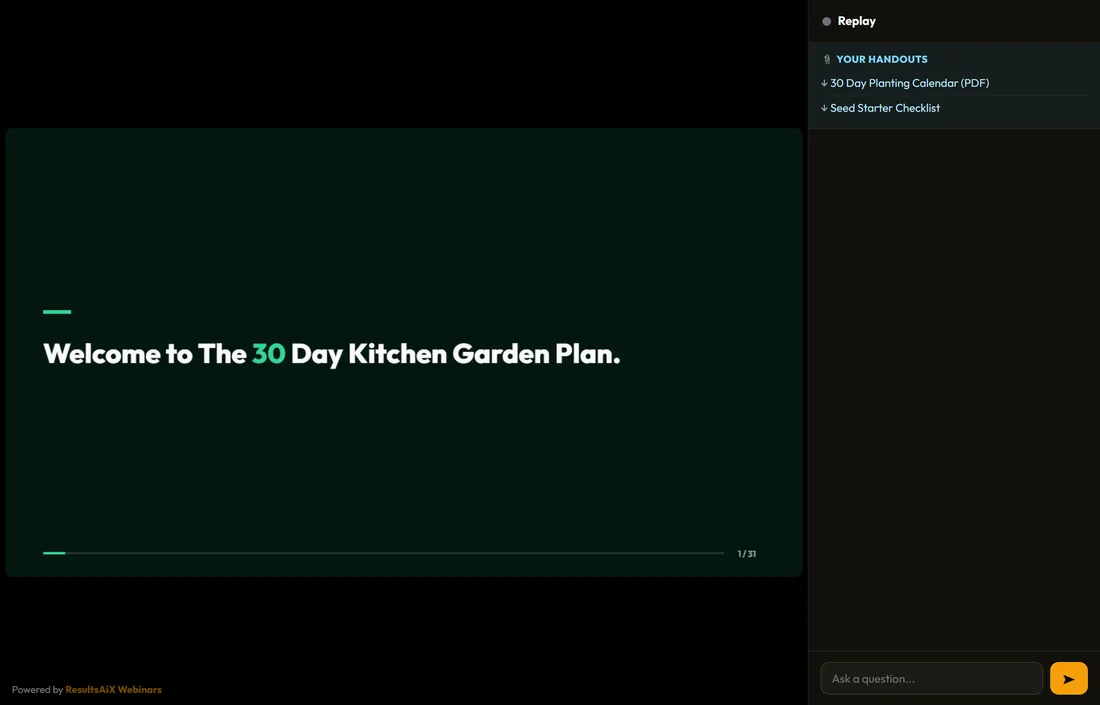
- An AI Deck replays the narrated deck from the start.
- A Recorded webinar replays its video.
- A Live webinar replays the recording saved from your broadcast, or the video set on the Content tab.
- Released handouts are listed.
Replay viewing is counted on its own:
Replay viewers are counted separately and never as live attendees. Replay minutes stop at the end of the video, so a page left open does not inflate them. A replay viewer can fire its own Watched the replay tag, list move and webhook event.
A real example:
Maya keeps 72 hours on the Kitchen Garden Plan with the offer on and chat on. Her did not show email goes an hour after the session and the replay expiring email a day later, so the replay has a real deadline. Her live Q&A replay hides the offer, because that offer was for the live night only.
Choosing a window:
- 24 hours: a strong reason to watch tonight
- 72 hours: a good balance for most webinars
- 168 hours: a week, for on-demand classes
- 0: the replay never closes, for a library of training
Pair the window with the replay expiring email, so people hear about the deadline before it passes.
Replay chat in practice:
With Chat on the replay ticked, viewers see the live chat play along at the moments it was posted. They can ask questions privately: the AI assistant answers when it is on, and anything it cannot answer is emailed to you.
The one-click replay link:
Put the link from Copy link in your newsletter. Your email tool fills in each subscriber's details, and they land in the replay already in the chat. With Also send them this webinar's emails off, they are not added to the webinar's email sequence, because they are on your list already.
Replay viewers in your numbers:
Replay viewers have their own figures on Analytics: Watched the replay, Average watched, Saw the offer and sales after the replay. They never change your live show-up rate.
What to do next:
- Behaviour Follow Ups After The Webinar
- Analytics And CSV Export
Common questions:
Can I give one person more time?
The window is set per webinar. Raise it on the Replay tab, or send the person the replay link while it is open.
Does the replay count towards show-up rate?
No. Replay viewers are counted separately.