A document waiting for weeks is a deal on hold. ResultsAiX Sign gives every document a deadline, tidies up overdue ones each day, and lets you nudge people by hand. With PRO it also sends reminders for you.
Where to find it:
- The default deadline: the Settings tab, Sending section, Default expiry (days).
- A document's own deadline: Expires after (days) in the Signers section of the editor.
- The reminder schedule, PRO: the Settings tab, Automation section, Remind unsigned signers every (days).
- Resend, copy link and void: the document's status page.
Setting a deadline:
Every new document gets the Default expiry from Settings, which starts at 30 days. Change it per document in Expires after (days), from 1 to 365. The deadline is counted from the moment you save the document.
The deadline shows:
- In the Expires column on the Documents tab while the document is out for signature
- On the status page as Expires and the date
- In the invitation email as Please sign before and the date
What happens at the deadline:
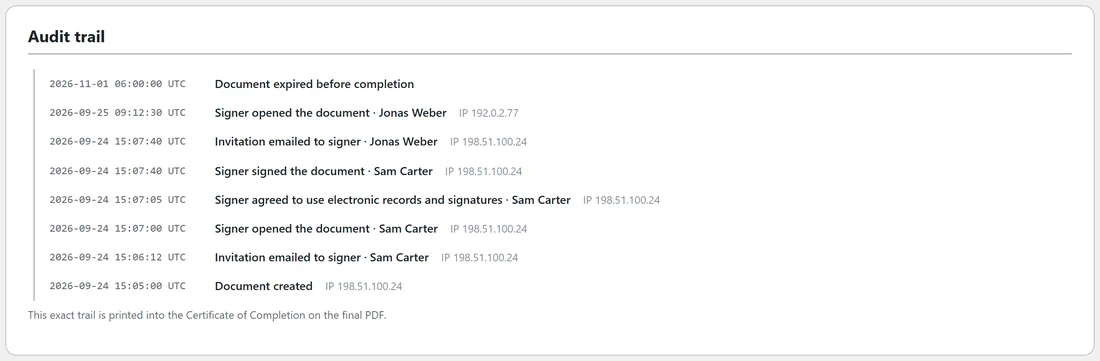
Once a day, the plugin looks for documents still out for signature that are past their deadline. It marks them Expired and records Document expired before completion in the audit trail.
The daily job runs on WordPress scheduled tasks, which run when your site has visitors. The Diagnostics tab shows when it will next run.
What a signer sees after the deadline:
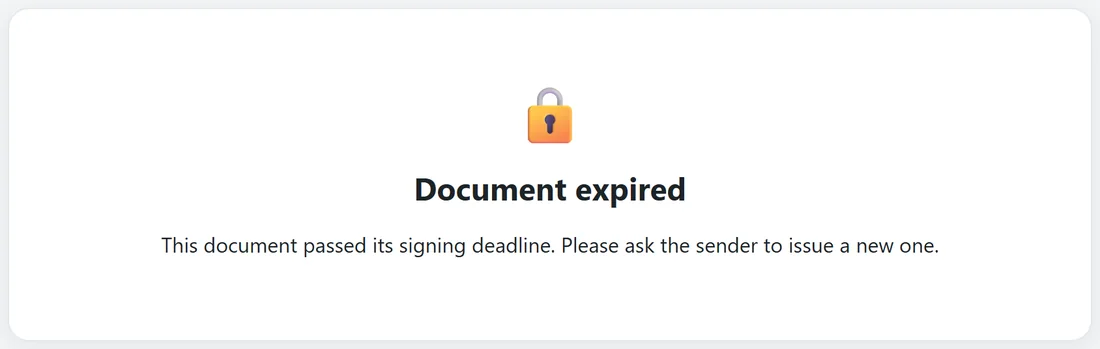
A signer who opens their link after expiry sees Document expired. This document passed its signing deadline. Please ask the sender to issue a new one. To carry on, click Duplicate on the document, check the copy and send it.
Chasing signatures by hand:
On the status page, in the signer's row:
- Resend Invite emails the same private link again. The trail records Invitation re-sent to signer.
- Copy Signing Link copies the link so you can send it by text message or chat. The trail records Signing link generated for manual sharing.
Automatic reminders, PRO:
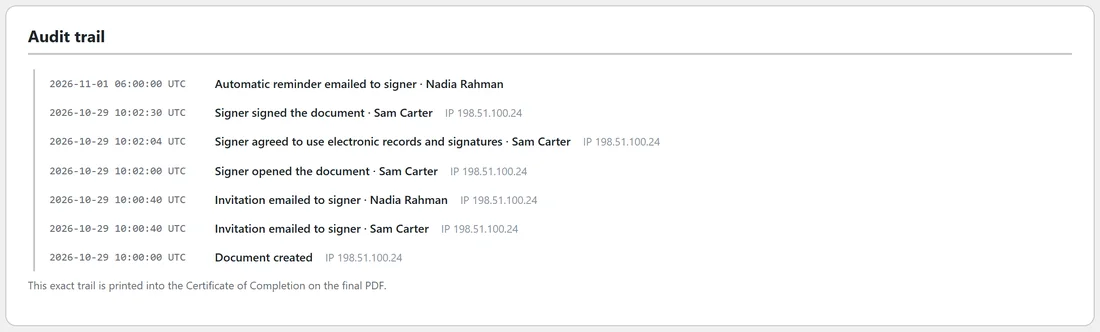
With PRO active, set Remind unsigned signers every (days) in Settings, from 0 to 30. It starts at 3. Zero turns reminders off.
Each day, for every document out for signature, the plugin emails a reminder to each signer who has been invited but has not signed, when the set number of days has passed since their last invitation, resend or reminder. Each one is recorded as Automatic reminder emailed to signer.
Who is not reminded:
- Signers who have signed
- Signers who have declined
- Signers whose turn has not come yet with In order signing
- Signer rows with no email address
The reminder email:
Subject: Reminder: the document title is waiting for your signature. It names your sender name and the document, carries the same Review and Sign button and shows the expiry date. See The Emails Your Signers And You Receive.
Voiding a document:
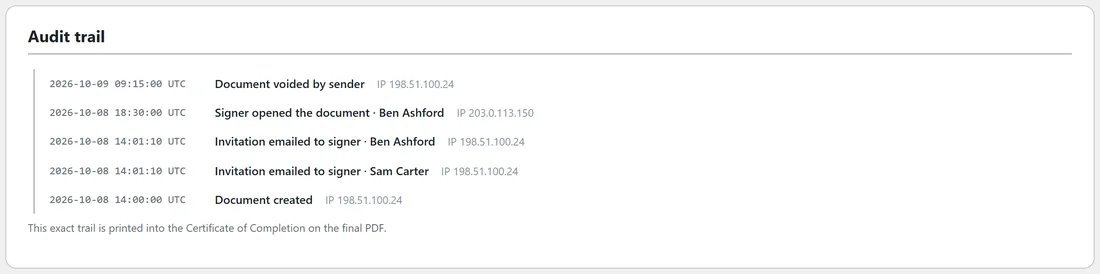
If a document is no longer needed, click Void on its status page or on the Documents tab. Type a reason when asked; it is kept in the audit trail as Document voided by sender. Anyone opening their link afterwards sees Document voided: The sender has withdrawn this document. No further action is needed.
A real example:
Elena Costa opened the Harbour Yoga agreement on 29 October but did not sign. Sam's reminder setting is 3 days, so on 1 November the daily job emailed her a reminder, and the trail shows Automatic reminder emailed to signer. Jonas Weber's equipment rental agreement had a 14 day deadline. It passed, and the document turned Expired.
Tips:
- For quotes, a short deadline such as 14 days keeps things moving.
- For agreements that need a lawyer's review on the client side, give 30 days or more.
- Pair a deadline with a personal message saying when you plan to start the work.