The built in email app connections watch a list for new contacts. The Connect Pack goes further with a group of Events cards that react to what the app actually does: an unsubscribe, a bounce, a tag, a click, a sale. Each Events card is its own connection, separate from the built in one, so the bridges you already have keep running exactly as they are.
How they work:
Each Events card is a push source. The app tells WP Sync the moment the event happens. On a bridge you choose the trigger, for example someone unsubscribed or a tag was added, and everything after that works like any other bridge: filters, field mapping, tags, actions, delays and drips.
The cards:
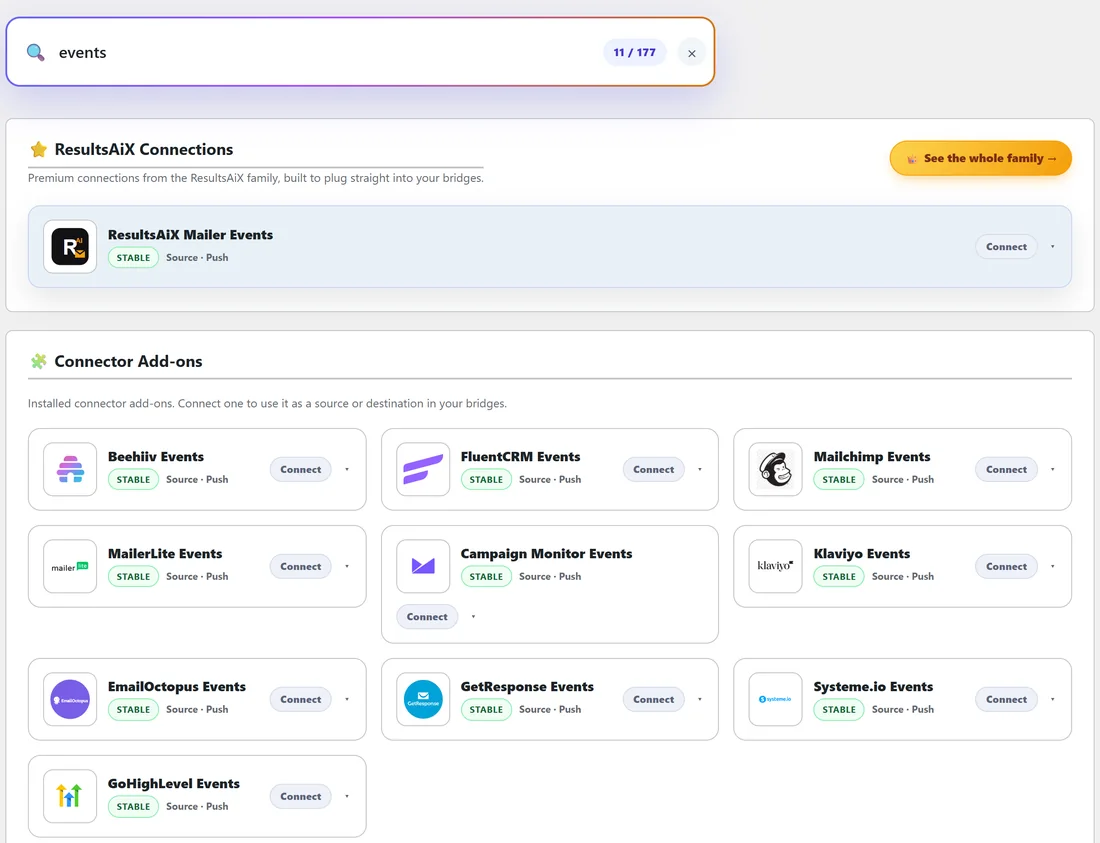
There are eleven Events cards: Beehiiv Events, Campaign Monitor Events, EmailOctopus Events, FluentCRM Events, GetResponse Events, GoHighLevel Events, Klaviyo Events, Mailchimp Events, MailerLite Events, ResultsAiX Mailer Events and Systeme.io Events.
What each one can react to:
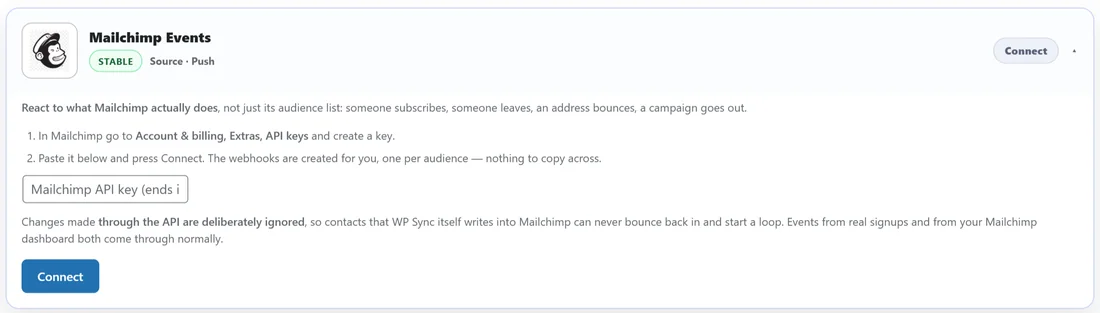
- Mailchimp Events: subscribed, unsubscribed, profile updated, address cleaned, email address changed, or a campaign sent.
- MailerLite Events: a new subscriber, an update, an unsubscribe, a bounce, a spam report, added to or removed from a group, an automation triggered or completed, or a campaign sent.
- GetResponse Events: subscribed, unsubscribed, removed after bouncing, opened an email, clicked a link, moved or copied to another list, changed email address or a custom field.
- EmailOctopus Events: a new contact, an update, an unsubscribe, a bounce, a spam report, a deletion, an open or a click.
- Campaign Monitor Events: subscribed, unsubscribed or bounced, or subscriber details changed.
- Systeme.io Events: a new contact, an opt in through a form, a tag added or removed, a new sale, or a sale cancelled or refunded.
- Klaviyo Events: any Klaviyo event, or one you pick. It needs a private API key with the webhooks and events scopes.
- GoHighLevel Events: any GoHighLevel workflow. Add a Custom Webhook action to a workflow and point it at the URL on the card, so you decide the trigger inside GoHighLevel.
- FluentCRM Events: a new contact, a status change, joining or leaving a list, or a tag applied or removed. It runs on your own site with no key.
- ResultsAiX Mailer Events: a new or confirmed subscriber, an unsubscribe, a bounce, a tag added or removed, an email opened, a link clicked, a Mailer form submitted, an address suppressed, or a broadcast sent. It runs on your own site with no key.
- Beehiiv Events: covered in Working With beehiiv.
Beyond email apps:
- Instantly can start a bridge when a prospect replies, is marked interested, books or completes a meeting, closes, unsubscribes, bounces, opens or clicks.
- ResultsAiX Webinars can start a bridge when somebody attended live, did not show up, saw the offer, clicked the offer, watched the replay, unsubscribed or resubscribed.
Setting one up:
- Open the Connections tab and type events in the search box.
- Click the card for your app to open it.
- Follow the numbered steps on the card. Some cards create their webhook for you when you click Connect, and disconnecting removes it. Others give you one URL to paste into the app's webhook settings. The card tells you which.
- Click Test Connection for a plain result.
- Build a bridge with the Events card as the source and pick the trigger in the builder.
A real example:
yoursite.com keeps a VIP list in ActiveCampaign. When somebody clicks the VIP offer link in a MailerLite broadcast, the owner wants them tagged in ActiveCampaign. One bridge does it: MailerLite Events as the source, the link clicked trigger, and ActiveCampaign with the Add tag action and the tag VIP interest.
Another favourite: Mailchimp Events on the unsubscribed trigger, with ActiveCampaign's Unsubscribe from list action on the same newsletter list, keeps both apps in step.
About GetResponse imports:
GetResponse only reports a contact as subscribed when the person joined through a form or API. Contacts that arrive by import, by marketing automation or with custom fields are not reported as subscribed, so a bridge on that trigger stays quiet for them. For those, build the bridge from the built in GetResponse card instead, which polls the list.
Events cards and the built in cards side by side:
- The built in Mailchimp card polls an audience for new subscribers every five minutes.
- Mailchimp Events reacts instantly to subscribes, unsubscribes and more.
Use the built in card to copy a list across, and the Events card when a bridge should react to something that happened.
Ideas to start with:
- A bounce in one app removes the contact from another.
- A link click tags the contact as interested.
- A spam report unsubscribes the contact everywhere.
- A sale in Systeme.io adds the buyer to your customer list elsewhere.
Reading an Events row in the Activity Log:
An Events bridge logs like any other, with the source shown under Details. The contact is the person the event was about, such as the subscriber who clicked, and any fields the app sent, such as the link or campaign, appear as token chips in the builder after the first event.
Pairing an Events card with an action:
Events cards shine when the destination does something other than add. A few pairings:
- Bounce or spam report, then Unsubscribe from list in another app.
- Tag added, then Add tag in your CRM.
- Link clicked, then Update fields only with a custom field such as Last clicked.
- Campaign sent, then a Slack message to the team.
Tips:
- Use a filter to narrow an event down, for example only clicks from one email.
- Each Events card is independent of the built in card for the same app, so you can use both.