A bridge is not limited to one destination. In the builder, click Add a destination app as many times as you need. Each destination becomes its own step, with its own settings, and the flow preview at the top grows a badge for each one.
What each destination keeps for itself:
- Its own list, channel, sheet, board or webinar.
- Its own action, where the app supports more than adding to a list.
- Its own field mapping, including names, custom fields and tags.
- Its own optional delay or drip.
Adding destinations:
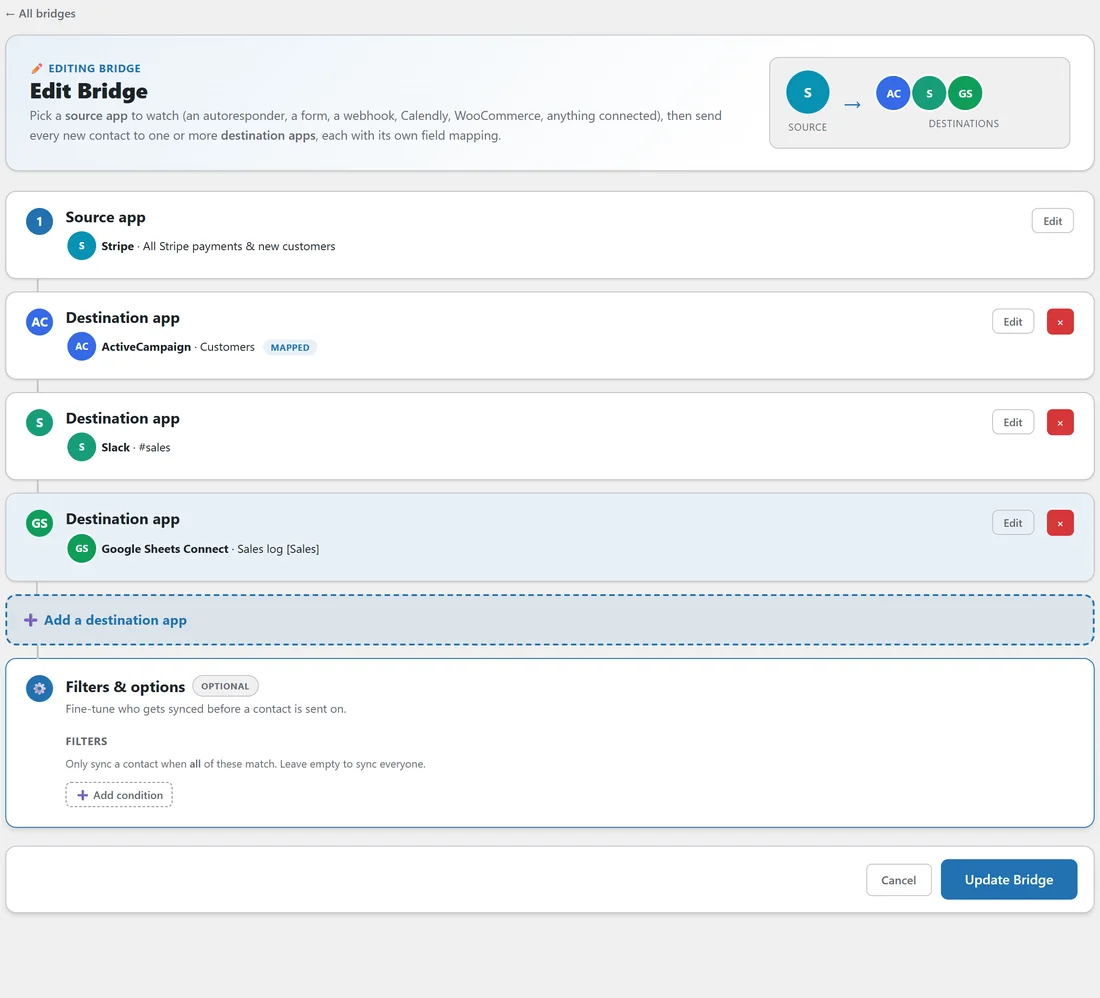
- Open the bridge with Edit, or start a new one.
- Click Add a destination app below the last destination.
- Choose the app and its list, and set its options.
- Click Continue. The step collapses to a summary, with tags for mapped, a delay or a drip.
- Click Update Bridge.
Removing a destination:
Each destination step has a red cross button. Click it, then Update Bridge.
A worked example:
yoursite.com's Stripe buyers to Customers does three things for every sale.
- ActiveCampaign, Customers, with the tags Customer and Paid in {currency}, and the custom fields Lead Source and Order Total.
- Slack, #sales, so the team sees it straight away.
- Google Sheets Connect, Sales log, for the accountant.
Its WarriorPlus buyers to Kit bridge goes one step further. Destination one adds the buyer to the Kit form Buyers right away. Destination two uses the Add tag action with the tag Review request and a two day delay, so the review email waits until the buyer has used the product.
Seeing what each destination gets:
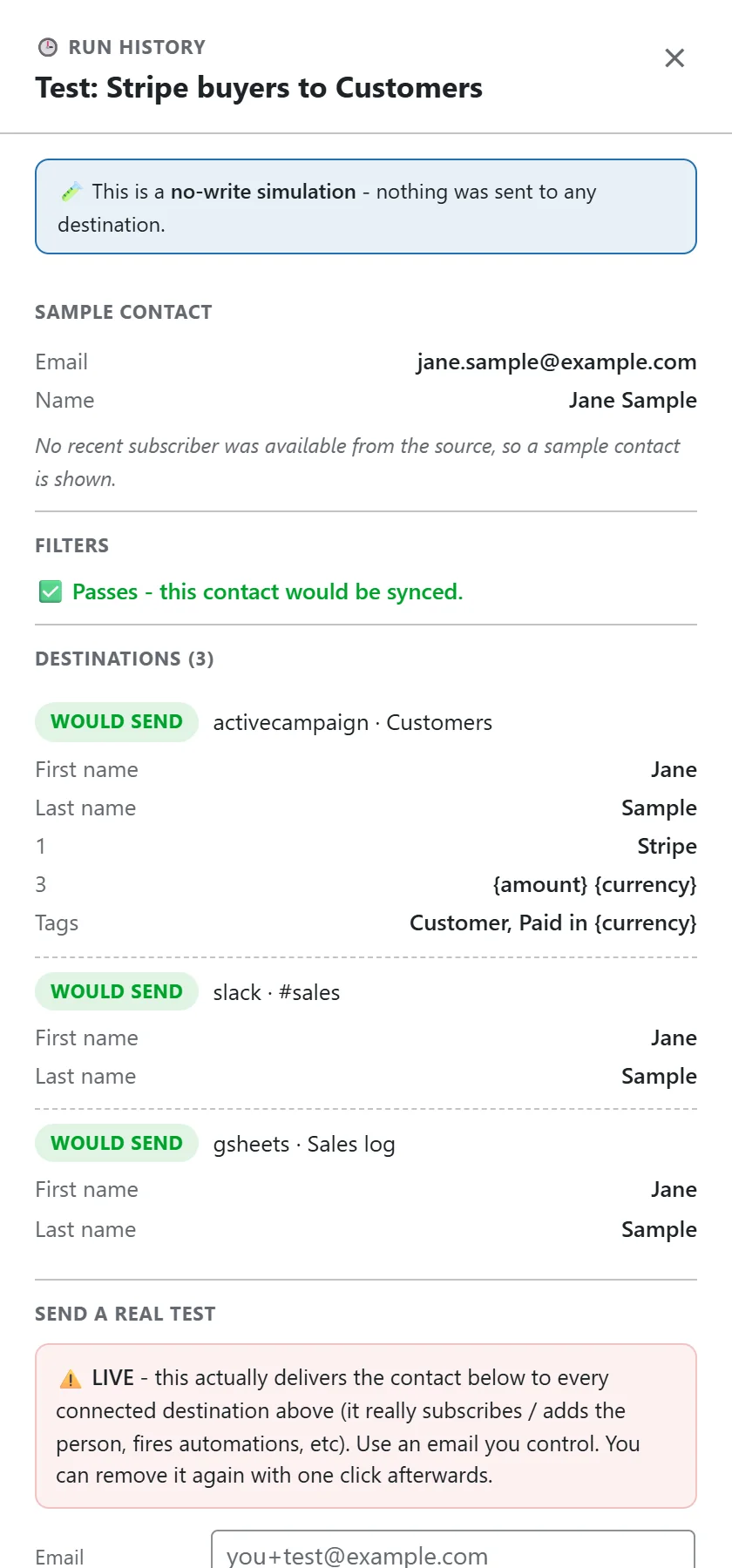
Click Test on the bridge row. The drawer lists every destination with WOULD SEND, WOULD QUEUE for a delayed one, or SKIP with the reason, and shows the first name, last name, custom fields and tags that destination would receive.
Why one bridge beats several:
All destinations on one bridge see the same contact, the same filters and the same source fields. You get one row in the Activity Log with a result for each destination, rather than several separate bridges to compare.
Order of delivery:
Destinations without a delay are delivered in the order they appear, in the same run. Destinations with a delay or a drip are queued and delivered once due, through exactly the same delivery and logging path.
Passing values down the line:
A destination can hand back extra fields that later destinations can use as tokens. For example, a destination that creates an invite link can pass it on to the next step. Put the destination that creates a value before the ones that use it.
Patterns that work well:
- Sale to email app, team chat and spreadsheet: one event, three records.
- Lead to email app now, CRM a day later: give the CRM destination a one day delay.
- Webinar registration to email app and webinar tool: register the person and start the reminder emails together.
- New subscriber to two email apps while you move between them: the old app keeps working until you switch.
Editing one destination without touching the others:
Click Edit on the bridge row, then Edit on the destination step you want. Change it, click Continue, then Update Bridge. The other destinations keep every setting.
Tips:
- Keep the fastest, most important destination first.
- If one destination fails, the others still deliver, and the row is marked Partial so you can see which one needs attention.