WP Sync works with the other ResultsAiX plugins on the same site. They need no keys between them, because they share the same WordPress install.
Where they appear:
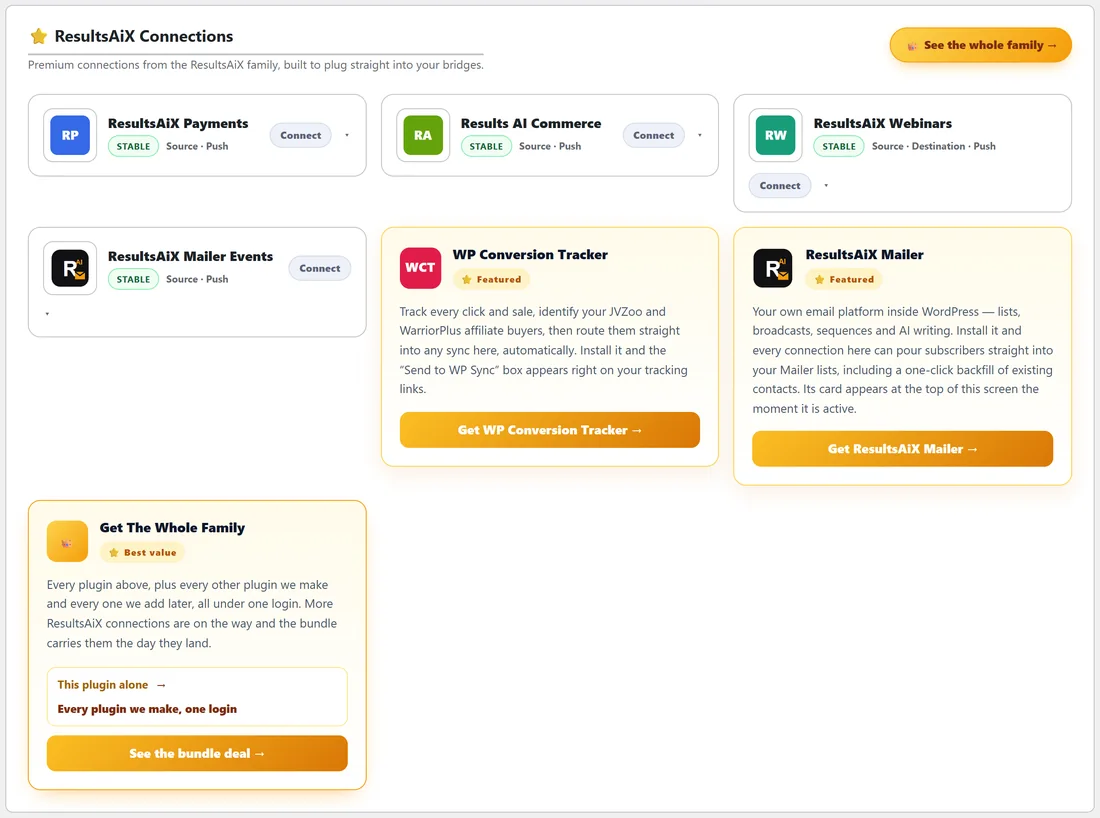
On the Connections tab, family connections sit together in the ResultsAiX Connections section at the top. Cards for plugins you have are shown first, then short descriptions of family plugins that are not on this site yet.
ResultsAiX Mailer:
Built into WP Sync core, works both ways, no key. Includes the Automations control on Mailer destinations. See Mautic And ResultsAiX Mailer Built In.
ResultsAiX Mailer Events:
In the Connect Pack. Starts a bridge from things that happen in the Mailer, such as a tag added, a link clicked or a form submitted. See Event Sources That React To What Happens.
ResultsAiX Payments:
Built into WP Sync core. A source for the sales, renewals and refunds recorded by ResultsAiX Funnels and ResultsAiX Membership. See ResultsAiX Payments As A Bridge Source.
ResultsAiX Webinars:
In the Connect Pack. When ResultsAiX Webinars is active on the same site, its card needs no key and no webhook.
- As a source, a registration and every webinar behaviour can start a bridge: attended live, did not show up, saw the offer, clicked the offer, watched the replay, unsubscribed or resubscribed.
- As a destination, it registers the person for the webinar you pick, with the same session choice and confirmation email as its own form.
ResultsAiX Commerce:
In the Connect Pack. A source for sales, renewals and refunds on the ResultsAiX Commerce platform.
WP Conversion Tracker:
When WP Conversion Tracker is installed, the ResultsAiX Connections section shows it as installed and ready, and it becomes a source in the builder.
- From a tracking link's editor you can tick syncs to run, so every sale or lead on that link runs the bridges you picked.
- A bridge with No source can be attached to a link's Also fire on click box.
- Refunds, rebills and cancellations on a tracked link each run their own sync.
- WP Sync's sidebar gains a Conversion Tracker shortcut.
ResultsAiX Optimize:
Every contact WP Sync captures, from form opt ins and from bridge deliveries, is announced to the rest of the family. If a ResultsAiX Optimize split test is running on the page that captured the lead, it credits the right version on its own, with nothing to set up.
ResultsAiX Hub:
With the free Hub installed, WP Sync's Hub tab and sidebar item go straight to the Hub dashboard, and Follow the ResultsAiX Hub in Settings lets every plugin share one colour scheme.
A real example:
yoursite.com runs its webinars with ResultsAiX Webinars. A bridge on did not show up adds those registrants to a Kit replay sequence. A second bridge on clicked the offer tags them Hot lead in ActiveCampaign. Neither needed a key.
Without a source, from a click:
- Build a bridge with No source and one destination, such as ActiveCampaign Add tag Clicked offer.
- Open the tracking link in WP Conversion Tracker.
- Tick the bridge in the link's Also fire on click box and save.
Each click by a known contact now tags them, with no list to watch.
Family bridges at yoursite.com, in short:
- Payments to email: buyers onto the customer list.
- Webinars to email: no shows to a replay sequence.
- Tracker to email: link clicks tagged as interested.
- Mailer events to CRM: Mailer link clicks tagged in the CRM.
Tips:
- No source bridges are the way to fire an action from a WP Conversion Tracker click.
- Keep family plugins up to date together, so their connections stay in step.