ADs makes ad pictures with your own image engine and cuts them to every size each network needs. One picture cropped to every size costs one picture. You can also crop an image you already have, for free, on your own server.
Where to find it:
- Campaigns, Images: make pictures and cut them to size.
- On every ad in a campaign: the Picture panel does it all without leaving the campaign.
Making a picture on the Images tab:
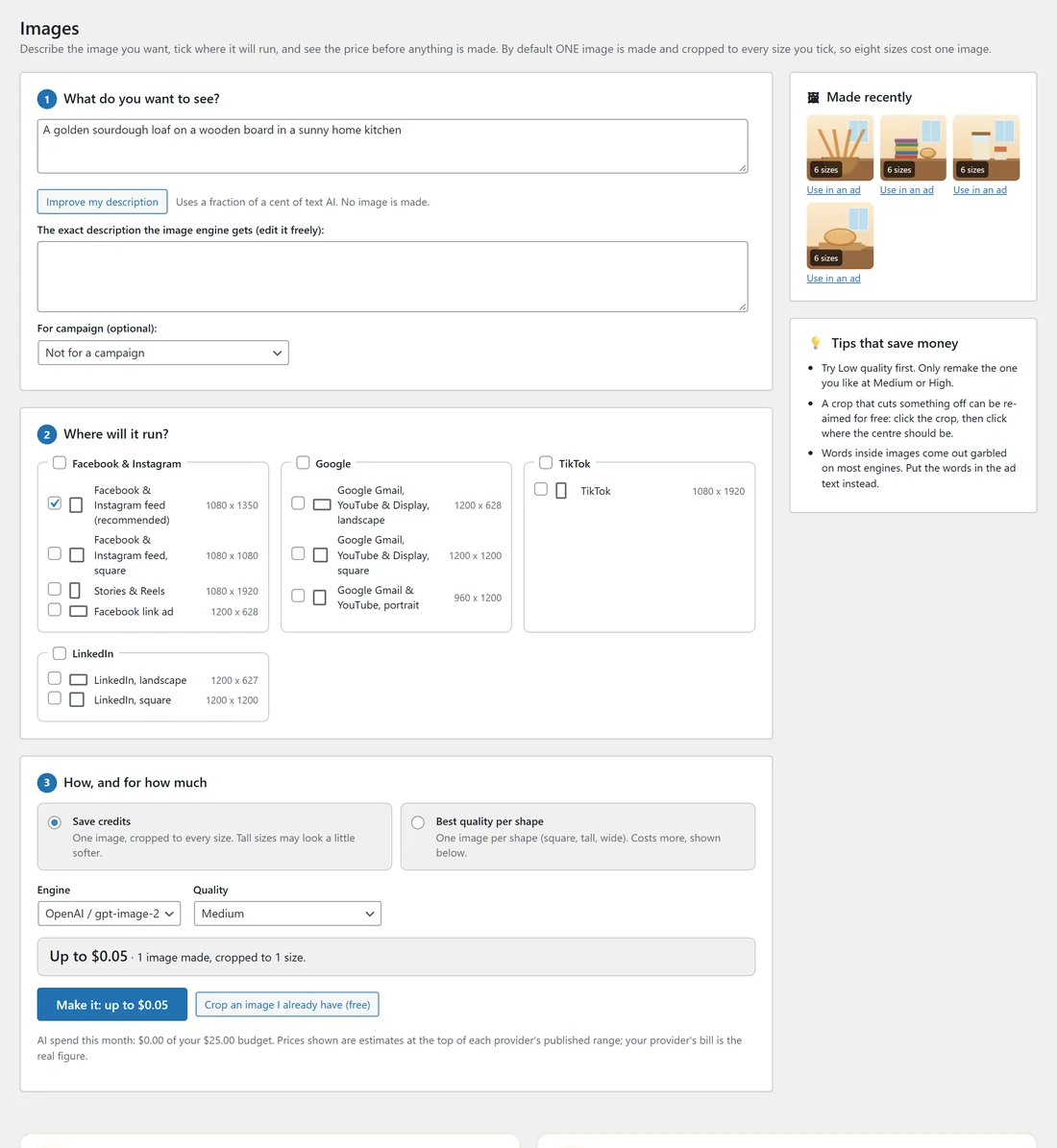
- What do you want to see? Describe the picture. Improve my description turns a few words into a full description (a fraction of a cent of text AI; no image is made). The exact description the image engine gets is shown underneath; edit it freely.
- For campaign (optional): link the picture to a campaign.
- Where will it run? Tick the sizes: Facebook and Instagram feed (1080 x 1350, recommended), square (1080 x 1080), Stories and Reels (1080 x 1920), Facebook link ad (1200 x 628), Google Gmail, YouTube and Display landscape (1200 x 628), square (1200 x 1200) and portrait (960 x 1200), TikTok (1080 x 1920), LinkedIn landscape (1200 x 627) and square (1200 x 1200).
- How, and for how much: Save credits makes one image and crops it to every size (tall sizes may look a little softer); Best quality per shape makes one image per shape (square, tall, wide) and costs more.
- Choose the Engine and the Quality: Low (cheapest, good for drafts), Medium, or High (most detail, costs most).
- The line under it shows the price before anything is made, for example "Up to $0.05, 1 image made, cropped to 1 size". Press Make it.
Crop an image I already have (free) cuts one of your own pictures to the sizes you tick.
Made recently:
Every picture you made shows with its number of sizes, such as 6 sizes. Use in an ad puts it straight onto one of your ads. Pictures go into your Media Library.
The Picture panel on each ad:
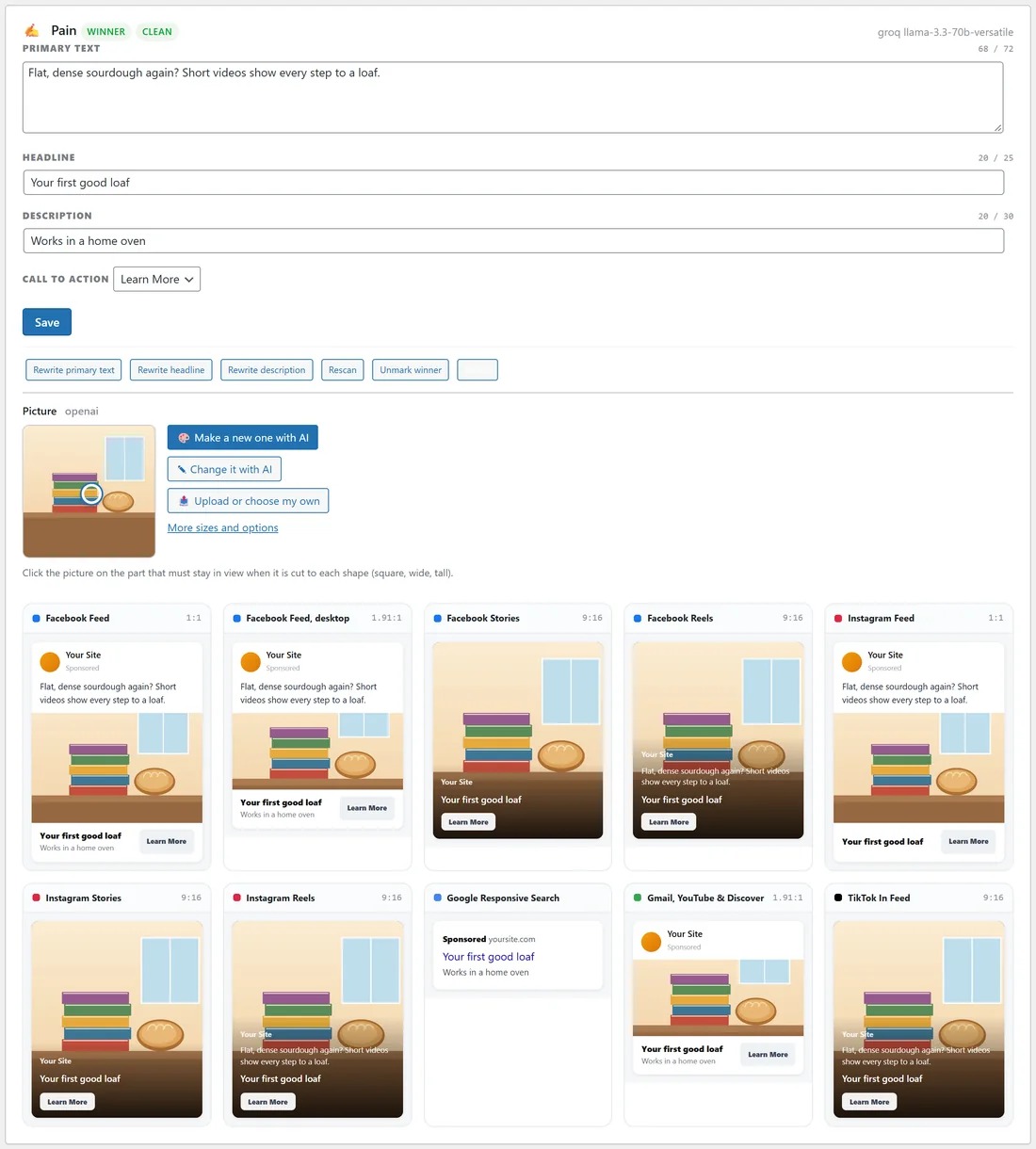
- Make a new one with AI: the description is written for you from the brief; change it if you like, choose the shape (square, landscape for Gmail and Display, or vertical for stories and reels) and make it.
- Change it with AI: say what should change, for example "make the background warm orange". With OpenAI or fal.ai the picture itself is changed. Other engines make a new picture from the original description plus your change, and the screen says so. The original always stays in your Media Library.
- Upload or choose my own: a picture from your computer or the Media Library.
- Click the picture on the part that must stay in view. Every shape, including Google's, is cut around that spot, for free.
- More sizes and options shows every size made from it.
A real example:
For the course campaign, the owner of yoursite.com described "A golden sourdough loaf on a wooden board in a sunny home kitchen", ticked six sizes for Facebook, Instagram, Google and TikTok, chose Save credits and Low, and saw the price before pressing Make it. The picture arrived with 6 sizes and went onto the Curiosity ad with Use in an ad.
Tips:
- Try Low quality first. Remake only the one you like at Medium or High.
- A crop that cuts something off can be re-aimed for free: click the picture where the centre should be.
- Words inside pictures come out garbled on most engines. Put the words in the ad text instead.
- The AI spend line under the button shows this month's spend against your budget.