When Google knows which clicks became leads and sales, its bidding learns to find more people like your customers. ADs traces each lead and sale to the Google click that brought it and sends it to Google every hour, with its value.
With the Google Ads script:
Nothing to set up. On its first run the script makes two conversion actions in your account, ResultsAiX ADs - Lead and ResultsAiX ADs - Sale. From then on every hour it sends the leads and sales traced to a Google ad click, with their value.
With the direct connection:
- Open Networks, Google Ads, step 4, Send your leads and sales back to Google.
- Press Set them up for me and ADs makes the two conversion actions, or choose existing ones.
- From then on every lead and sale traced to a Google ad is sent every hour.
The Is it working? card then shows what was sent in the last 30 days, what is waiting, anything Google refused, when spend was last read and whether Google shares keyword numbers with your connection.
Optional, leads and sales matched by email:
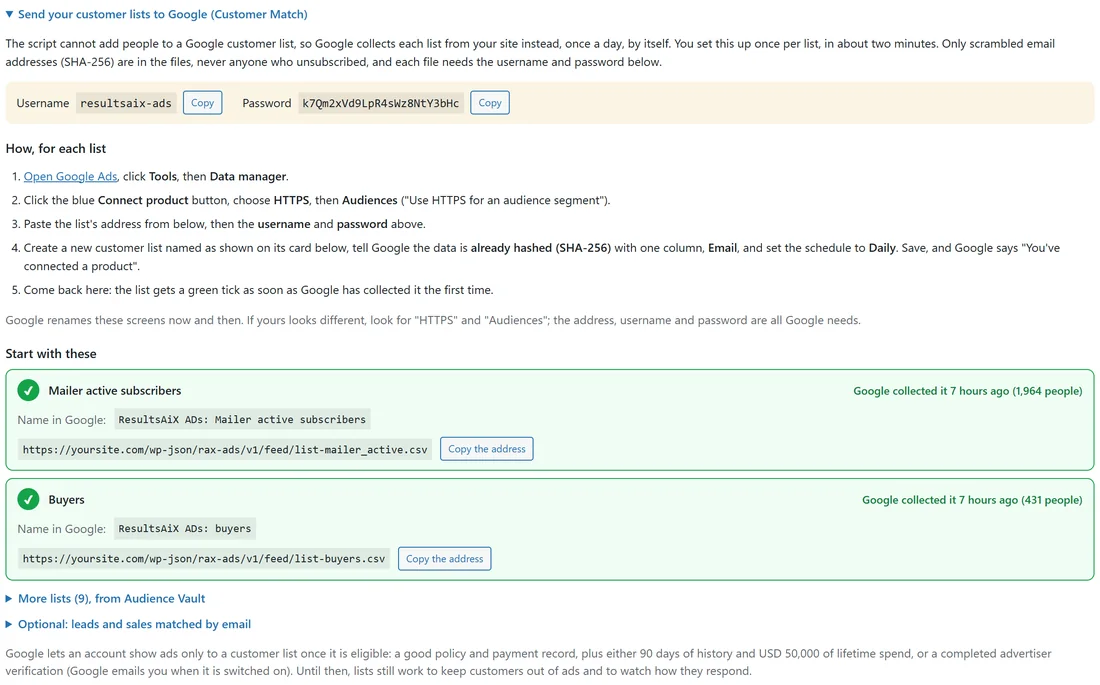
The script already sends the leads and sales that came from a Google ad click. Under Send your customer lists to Google, Optional: leads and sales matched by email gives Google a file of the rest, with scrambled email addresses, which Google collects from your site once a day (in Google Ads: Tools, Data manager, Connect product, HTTPS, Conversions). The file is protected with the username and password shown.
What is sent, and what is not:
- Each sale is sent once.
- Sales that were taken back are never sent as sales.
- Email addresses are scrambled (SHA-256) before they leave your site.
- Only conversions from a Google click (or matched by email, if you set that up) go to Google.
Where to see it:
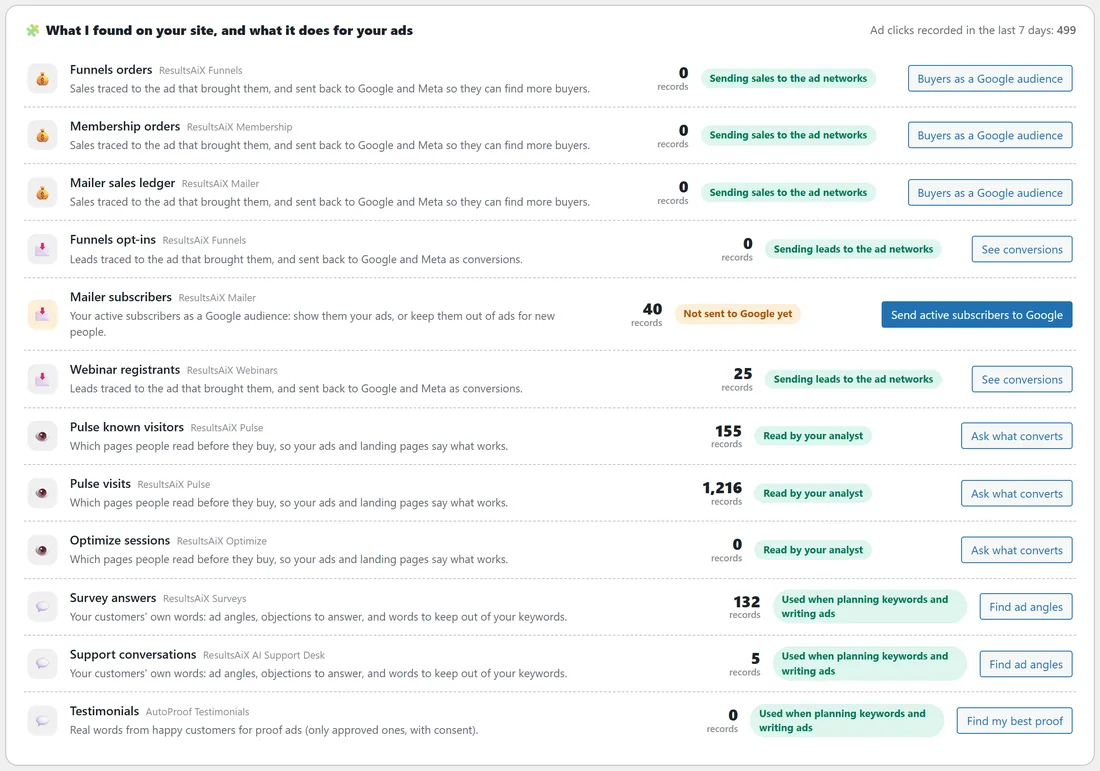
- The Dashboard's What I found card shows Sending sales to the ad networks next to each sales plugin.
- Diagnostics lists the Google Ads script with its last check in and how many jobs Google refused.
- Logs records each send.
A real example:
yoursite.com connected with the script. On its first run the script made ResultsAiX ADs - Lead and ResultsAiX ADs - Sale. In the last 30 days Google received each course and book sale from a Google click, and Google's Conversions column for the course campaign now shows them, so Maximise conversions has something to learn from.
Tips:
- Make sure auto-tagging is on in Google Ads (Admin, Account settings), so every click carries the click id that ties a sale to its ad.
- Point your ads at pages of this site, where ADs tracking runs. See How Each Sale Finds Its Ad (Click Tracking).
- Google needs about 30 sales a month before Maximise conversions works well.