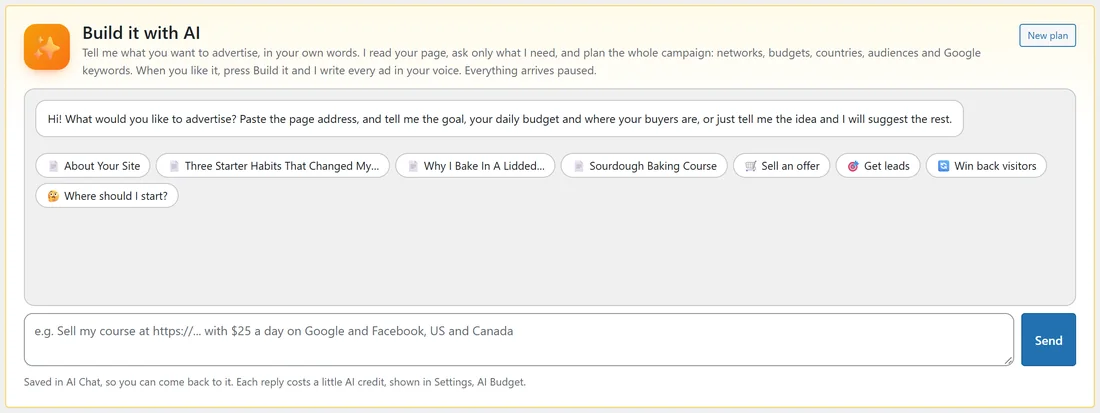
Build with AI is a campaign planner you talk to. Tell it what you want to advertise, the way you would tell a media buyer. It reads your page, asks only what it needs, and proposes the whole campaign. When you like it, press Build it and it writes every ad in your voice. Everything arrives paused.
Where to find it:
- Press the orange Build with AI button in the menu.
- Or open Campaigns, New campaign: the Build it with AI card is at the top.
- Or start in AI Chat with Build a campaign. See AI Chat: Every Conversation, Saved.
Step by step:
- Type what you want, or click a starter chip: Sell an offer, Get leads, Win back visitors or Where should I start?. Chips with your own page titles fill the box with that page.
- Press Send. If you mention a page address, the AI reads it and uses only its facts: no invented prices, guarantees or claims.
- Answer any question it asks, such as the goal, the daily budget or the countries. Say "you choose" and it suggests sensible defaults.
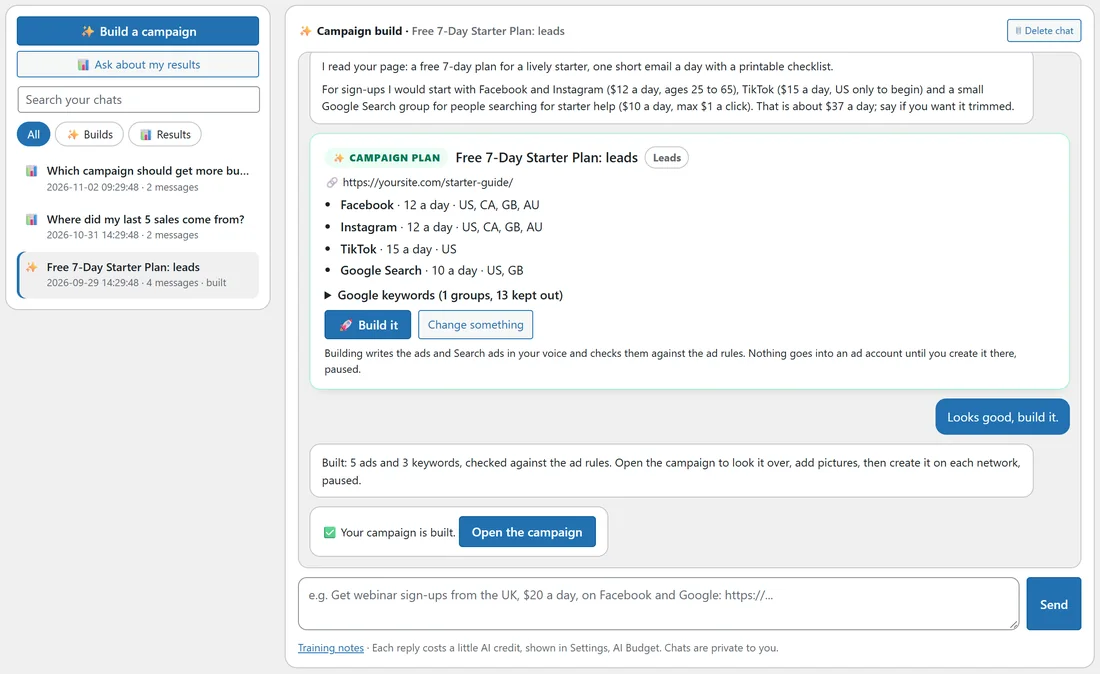
- Read the Campaign plan card: the networks with their daily budgets and countries, the goal, who sees it, and the Google keyword groups.
- Ask for changes in plain words, for example "make it $10 a day and leave out TikTok". It sends a corrected plan.
- Press Build it. ADs creates the campaign and writes every ad and Search ad, checked against the ad rules.
- Press Open the campaign to check it, add pictures and create it on each network.
What it says, and what it checks:
- Every plan is checked by the same checker the plan importer uses. If the AI made a mistake, it fixes the plan before you see it.
- Change something opens the box for your next message.
- Nothing goes into an ad account from the chat. You create each network from the campaign screen.
- New plan starts a fresh conversation. Open in AI Chat shows the same chat on the AI Chat screen.
Good things to say:
- "Sell my course at https://yoursite.com/sourdough-course/ with $25 a day on Google and Facebook, US and Canada."
- "Get sign-ups for my free guide from the UK and Ireland."
- "I have $30 a day. Which networks should I start with?"
- "Show my ads again to people who visited but did not buy, about $10 a day."
A real example:
The owner of yoursite.com typed: "Get sign-ups for my free starter guide at https://yoursite.com/starter-guide/ with about $35 a day, US, UK, Canada and Australia." The AI read the page and proposed Facebook and Instagram at $12 a day, TikTok at $15 a day in the US, and a Google Search group at $10 a day with three keywords. After "Looks good, build it." it built 5 ads and 3 keywords and showed Open the campaign.
Tips:
- The chat is saved in AI Chat, so you can come back and ask for changes later.
- Each reply costs a little AI credit, shown in Settings, AI budget and spend.
- The quick builder underneath, Or: quick build from a page, no chat, builds straight from a page address without the conversation. See Build A Campaign From Any Page.