Your Voice teaches ADs how you write. You paste a few things you have already written, ADs works out your tone, sentence length and favourite words once, and uses that for every ad from then on. Without a voice profile the copy is written in a competent but generic tone.
Where to find it:
Open Campaigns, Your Voice.
Teaching it your voice:
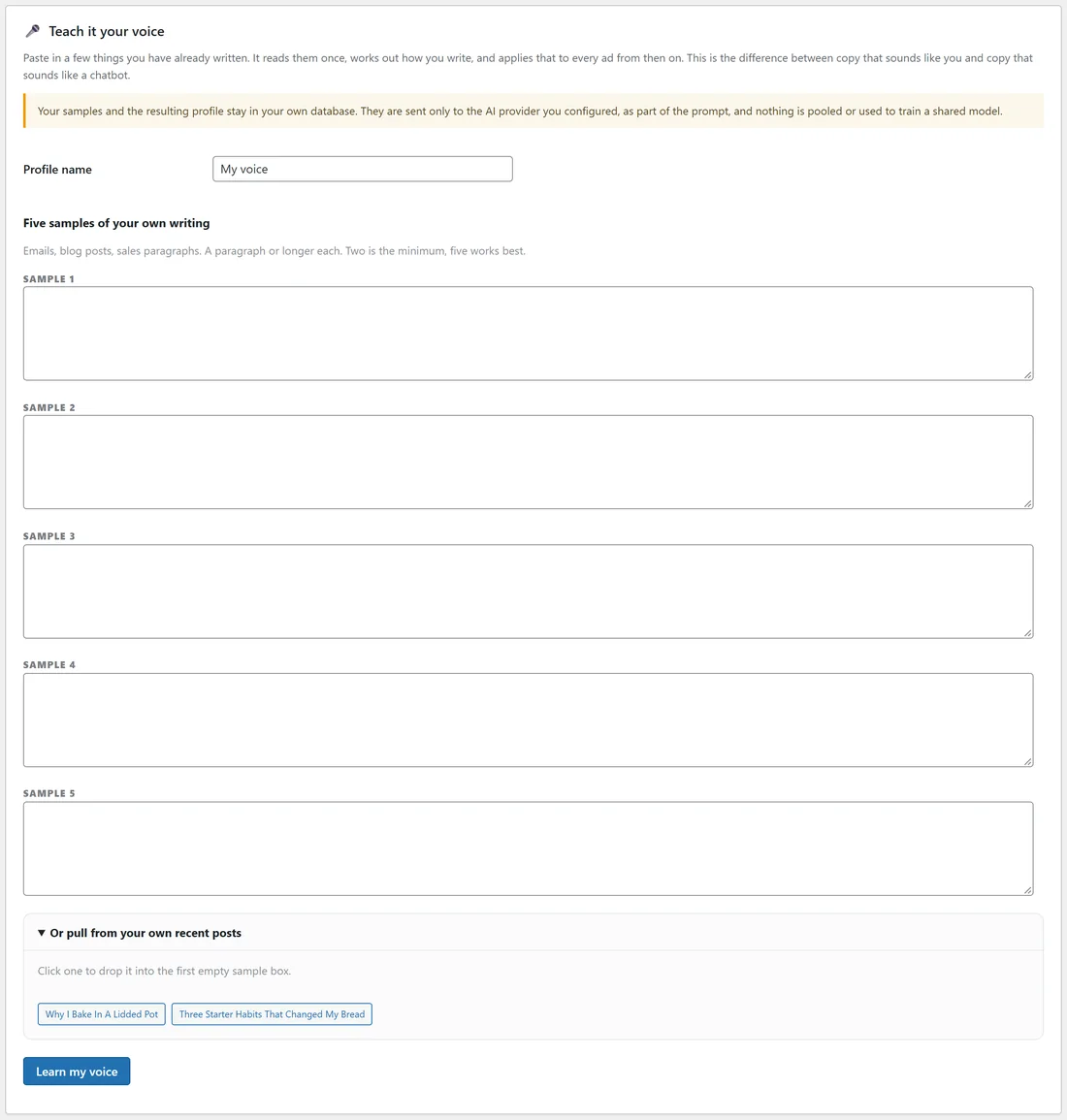
- Type a Profile name, for example "Sam (main voice)".
- Paste up to five samples of your own writing into SAMPLE 1 to SAMPLE 5: emails, blog posts, sales paragraphs. A paragraph or longer each. Two is the minimum, five works best.
- No samples to hand? Open Or pull from your own recent posts and click a post. It drops into the first empty sample box.
- Press Learn my voice. ADs reads the samples once with your AI provider and writes down how you write.
What it learned:
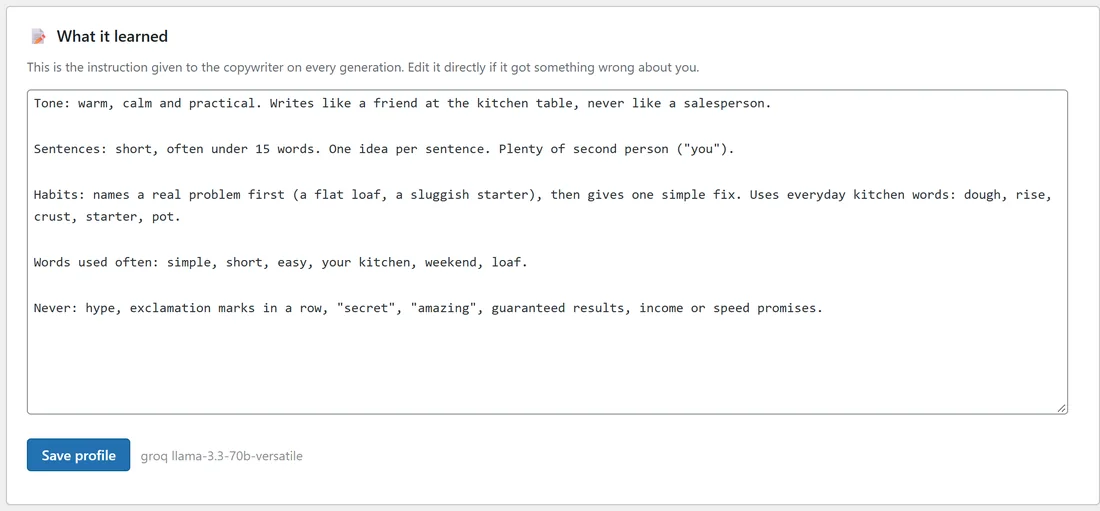
After learning, the What it learned box shows the instruction given to the copywriter on every generation: your tone, sentence length, habits, words you use often and words you never use. Edit it directly if it got something wrong, then press Save profile. Under the box you can see which provider and model built it.
Saved profiles:

The Saved profiles card lists every voice with its Name, number of Samples, Built with (provider and model) and Status.
- ACTIVE is the voice used by default.
- SAVED is a voice you keep for another brand or tone. Press Use this to make it active.
- Edit opens the profile to change its samples or what it learned.
- Delete removes a profile you no longer need.
Where your voice is used:
- Every ad, Google Search ad and keyword plan uses the active voice, unless a campaign chooses another one under Where it runs, Voice.
- On the campaign screen, Rewrite every ad with AI can switch to any saved voice for a rewrite.
- Ads you mark as winners teach future ads too: ADs studies their structure without copying their words.
Your samples and profile stay in your own database. They are sent only to the AI provider you configured, as part of the prompt.
A real example:
The owner of yoursite.com pasted five short pieces: a post about flat loaves, a note about rye, a tip about baking in a lidded pot, a starter tip and a line about short lessons. ADs learned: warm, calm and practical; short sentences; names a real problem first, then one simple fix; never hype or "amazing". A second profile, "Holiday promotions (lighter)", is saved for seasonal campaigns.
Tips:
- Pick writing that sold well or got replies. That is the voice you want in your ads.
- Keep one profile per brand if you run more than one business from the same site.
- After you edit What it learned, rewrite one ad to see the difference. See The Campaign Screen: Brief, Ads, Angles And Winners.