Two screens help when you want to know what ADs did or why something is not happening. Logs is the history. Diagnostics is a live health report.
Logs:
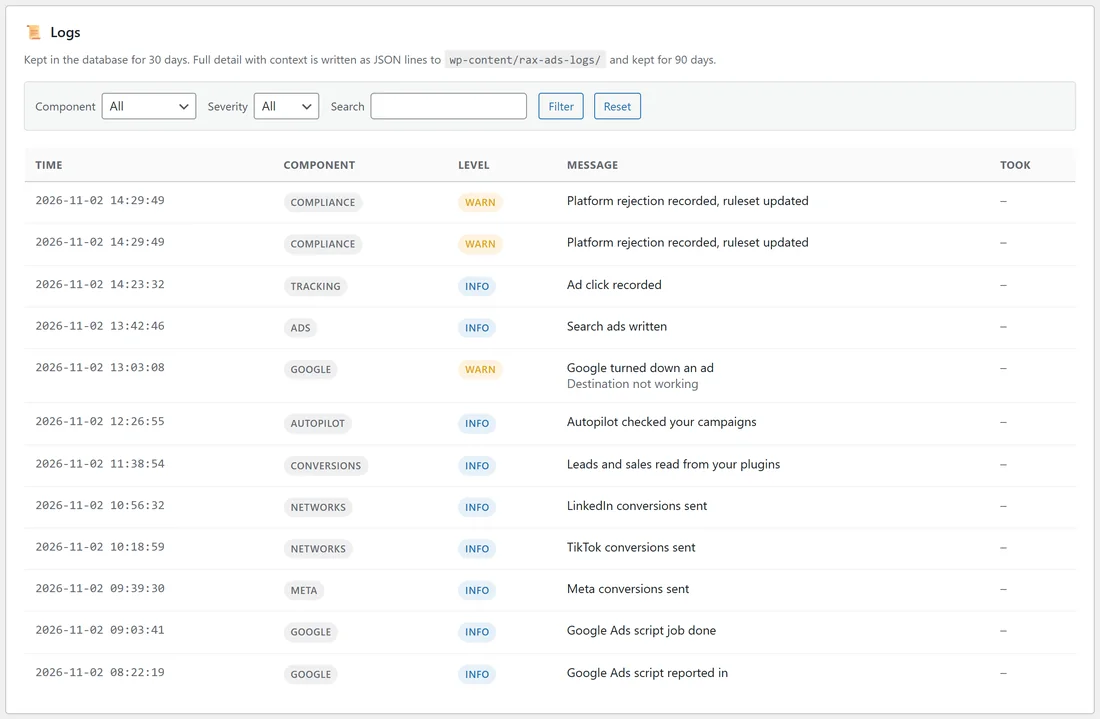
Open Settings, Logs. Each entry shows the Time, the Component (such as google, meta, networks, conversions, autopilot, compliance, ads, tracking), the Level (info, warn or error), the Message, and how long it Took. A network's refusal is shown in its own words. Routine calls are kept off the screen so real problems stand out.
Finding something in the log:
- Choose a Component and a Severity.
- Type in Search.
- Press Filter. Reset clears it.
Entries are kept in the database for 30 days. Full detail with context is written as JSON lines to wp-content/rax-ads-logs/ and kept for 90 days.
Diagnostics:
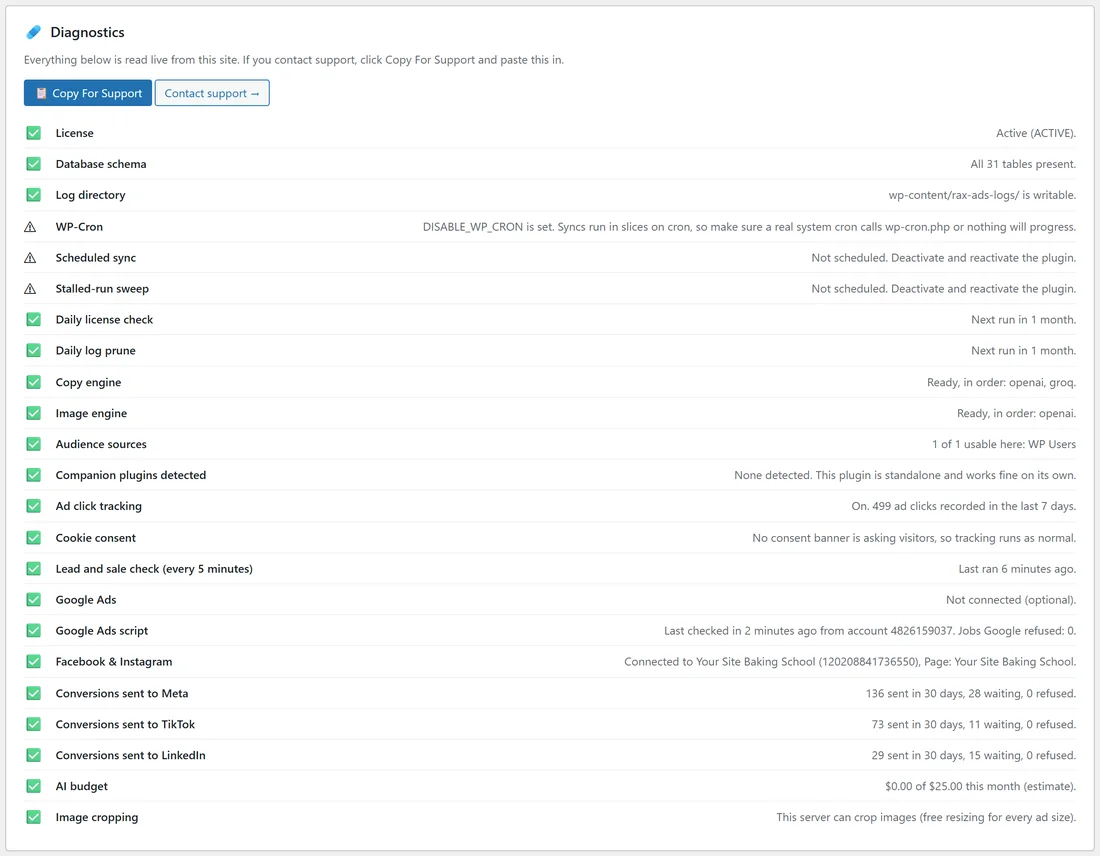
Open Settings, Diagnostics. Everything is read live from your site, one line each with a tick or a sign: License, Database schema, Log directory, WP-Cron, scheduled jobs, the daily license check, Copy engine, Image engine, Audience sources, companion plugins, Ad click tracking, Cookie consent, the lead and sale check, Google Ads, the Google Ads script, Facebook & Instagram, conversions sent to each network, AI budget, Image cropping, and System Info (plugin version, database version, WordPress, PHP, memory limit, maximum run time).
Getting help:
- Open Diagnostics.
- Press Copy For Support.
- Press Contact support and paste it in.
A real example:
On yoursite.com, Logs shows the Google Ads script reporting in, a Google job done, Meta, TikTok and LinkedIn conversions sent, and Google turning down an ad with "Destination not working". Diagnostics shows the Google Ads script checked in a few minutes ago with no jobs refused, 136 conversions sent to Meta in 30 days, and 73 sent to TikTok.
Tips:
- When a network refuses something, filter Logs by that network's component to read its exact words.
- A sign on a Diagnostics line comes with what to do about it.