Results shows what your ads cost and what they really brought, traced to the network, campaign, keyword and landing page. Spend comes from each network; leads and sales are what really happened on your site, traced from the click.
Where to find it:
Click Results in the menu, or Full results on the Dashboard.
At the top:
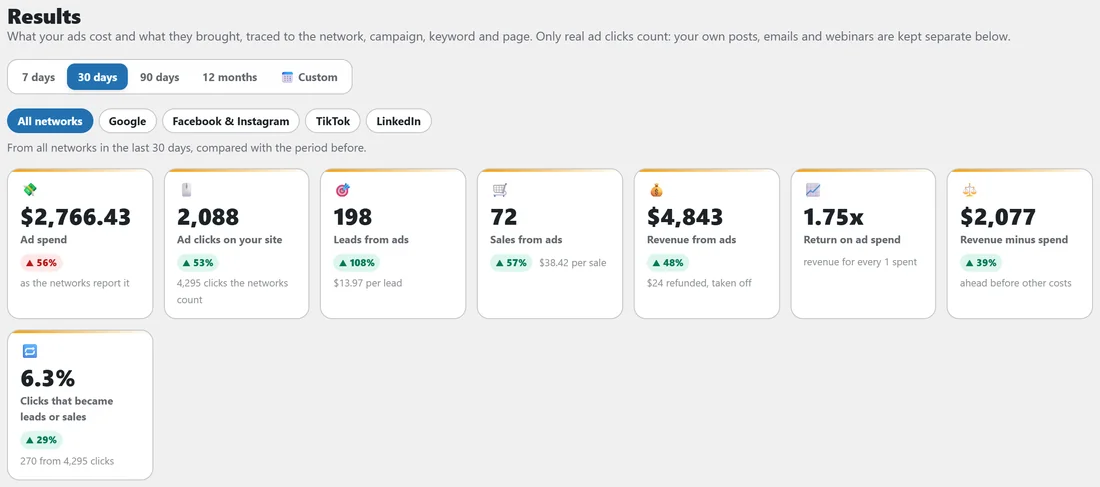
- The date range: 7 days, 30 days, 90 days, 12 months or Custom dates. Every number is compared with the period just before.
- Network chips: All networks, then one chip for each network that has results or is connected. Click one to see only that network.
- Stat cards: Ad spend, Ad clicks on your site (with the clicks the networks count), Leads from ads, Sales from ads, Revenue from ads, Return on ad spend, Revenue minus spend, and the share of clicks that became leads or sales.
Day by day:
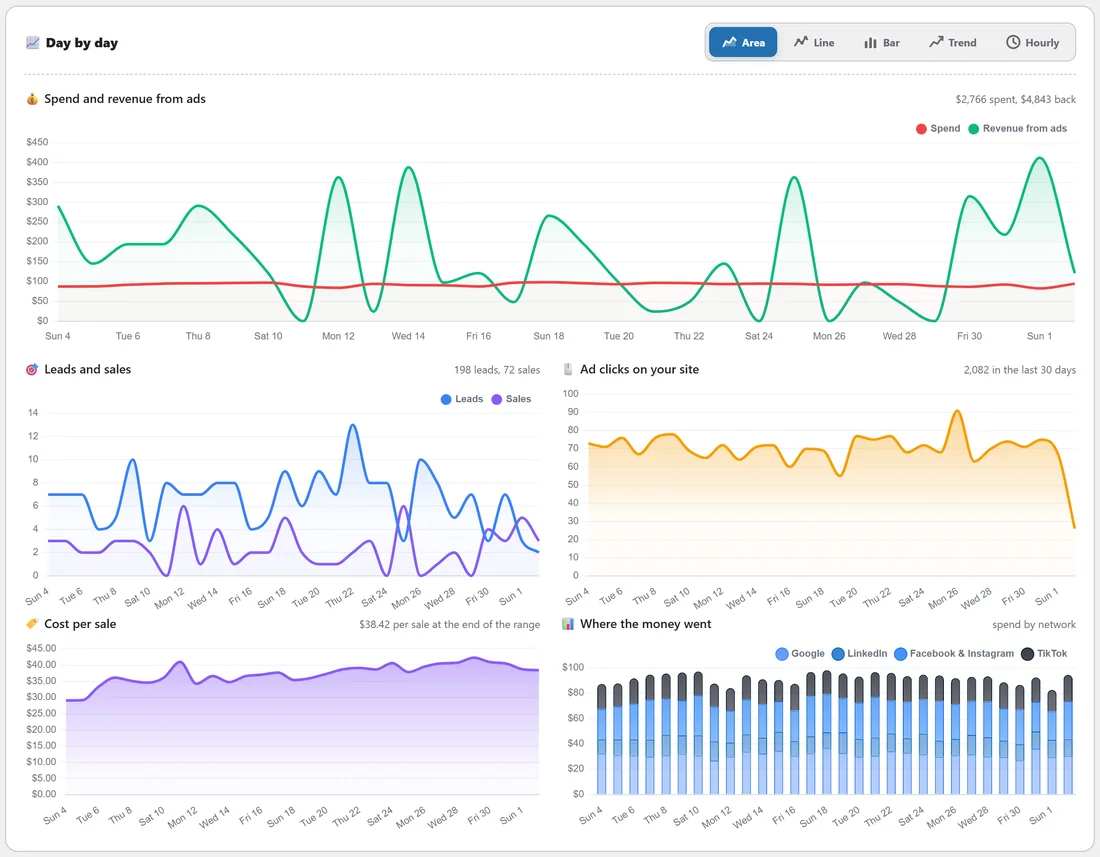
Charts in five styles (Area, Line, Bar, Trend, Hourly): spend and revenue from ads, leads and sales, ad clicks on your site, cost per sale so far, and, with more than one network, where the money went (spend by network).
The reports:
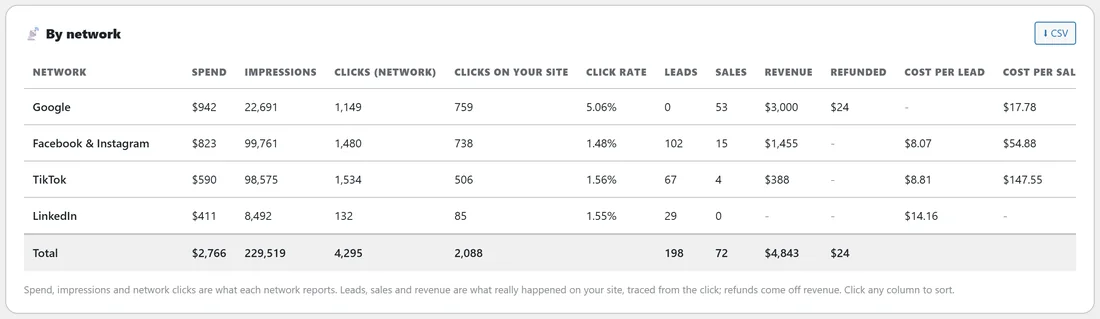
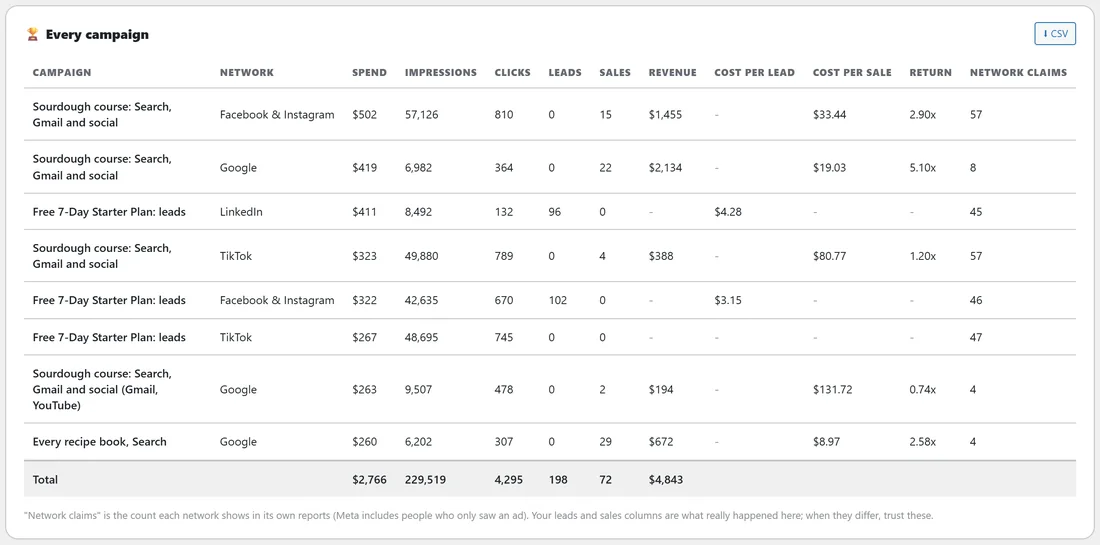
Click any column to sort, and CSV to download.
- By network: spend, impressions, clicks the network counts, clicks on your site, click rate, leads, sales, revenue, cost per lead, cost per sale and return.
- Every campaign: each campaign on each network with its spend, impressions, clicks, leads, sales, revenue, cost per lead, cost per sale, return and Network claims, the count each network shows in its own reports. When it differs from your leads and sales, trust yours.
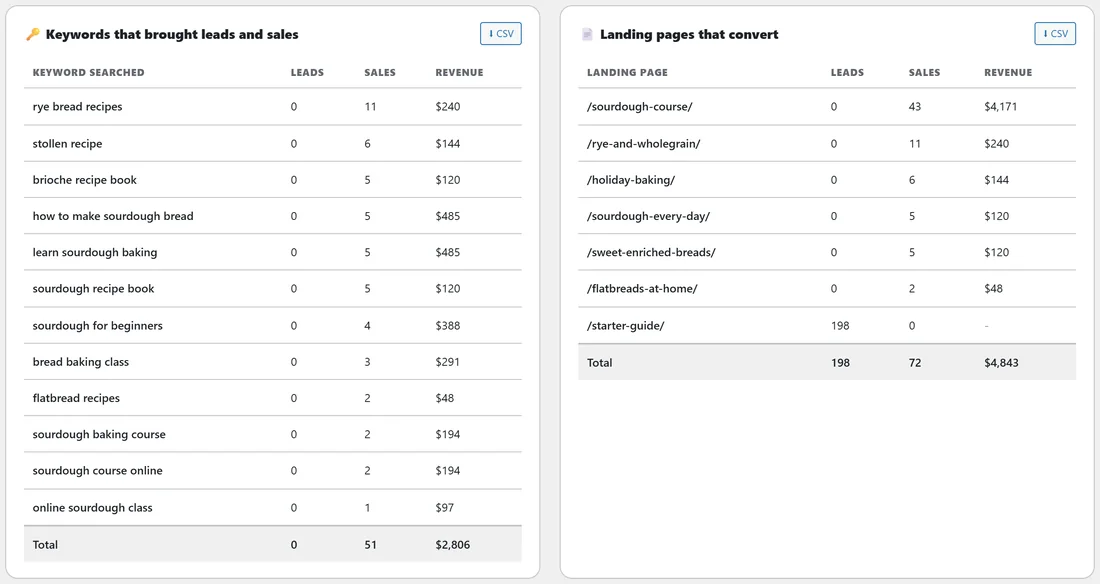
- Keywords that brought leads and sales: the Google keywords people searched, with leads, sales and revenue.
- Landing pages that convert: each page that turned ad clicks into leads and sales.
What counts as an ad:
A click carrying a network's ad click id (gclid, ttclid, li_fat_id, rdt_cid, ScCid and others), or a link tagged as paid (utm_medium cpc, ppc, paid, paid_social and similar). Facebook and Pinterest add their click ids to your own posts too, so those count as ads only when the link is tagged as paid.
Ads only, and everything else:
This card says how many ad results were traced by the ad click and how many by a paid-ad link tag only, and how many leads and sales in the period did not come from ads. Show them too adds them to the screen.
Not from ads: where they came from:
Your own posts, YouTube videos, emails and webinars, each in its own row (such as Link tagged "mailer" or Facebook & Instagram, your own posts), never counted as ads. Tag the links you post with utm_source and each one gets its own row.
Latest leads and sales from ads:
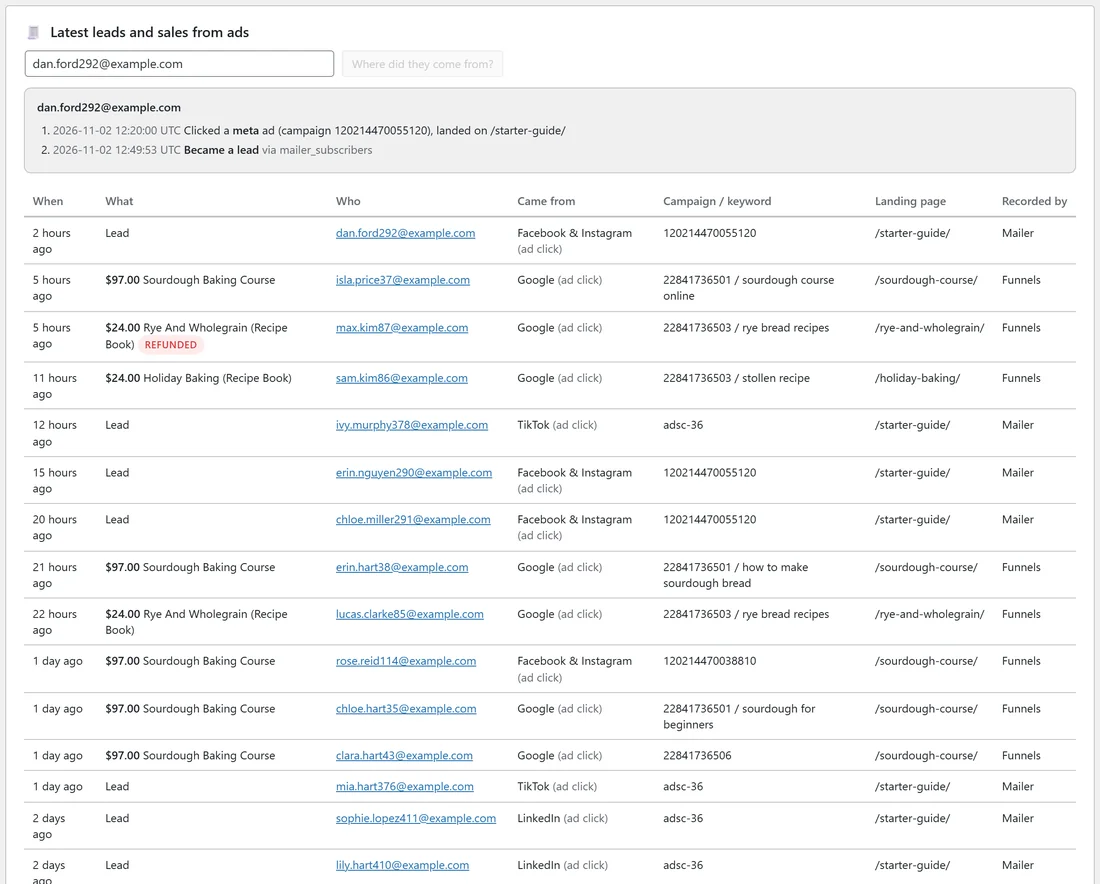

The newest leads and sales with When, What, Who, Came from, Campaign / keyword, Landing page and Recorded by. Type an email into Look up anyone by email and press Where did they come from? to see that person's path: the ad they clicked, the keyword, the page they landed on, and what they bought.
Tracking health:
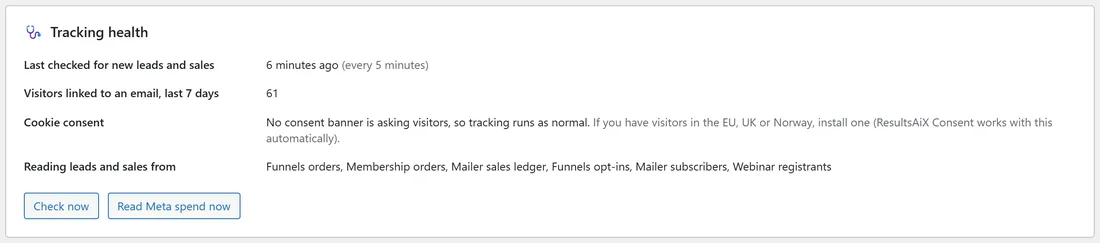
When leads and sales were last checked (every 5 minutes), how many visitors were linked to an email in the last 7 days, cookie consent, and which plugins ADs reads leads and sales from. Check now checks straight away.
Autopilot sits on this screen too. See Autopilot: What To Pause, What To Scale.
A real example:
For the last 30 days, Results for yoursite.com shows $2,766 spent and $4,843 back, a 1.75x return. By network, Google returned 3.18x on its sales, and Facebook and Instagram brought most of the leads at under $9 each. Keywords that brought leads and sales lists "rye bread recipes" and "how to make sourdough bread" near the top, and the course page converts best.
Tips:
- Click a network chip before you judge a network: every card and chart follows it.
- Download the CSV of Every campaign once a month to keep your own record.
- Figures refresh every five minutes, and straight away when new spend is read.