The analyst answers questions about your ads from your real data: where your sales came from, which ads and keywords sell, your cost per sale and return on ad spend, what to do next, what customers ask support that would make a good ad, and what your AI cost this month. It tells you when there is not enough data yet.
Where to find it:
- The black Ask your ads button at the bottom right of every ADs screen.
- AI Chat, Ask about my results. See AI Chat: Every Conversation, Saved.
- The buttons on the Dashboard's What I found card (such as Ask what converts or Find ad angles) ask it the right question for you.
Asking a question:
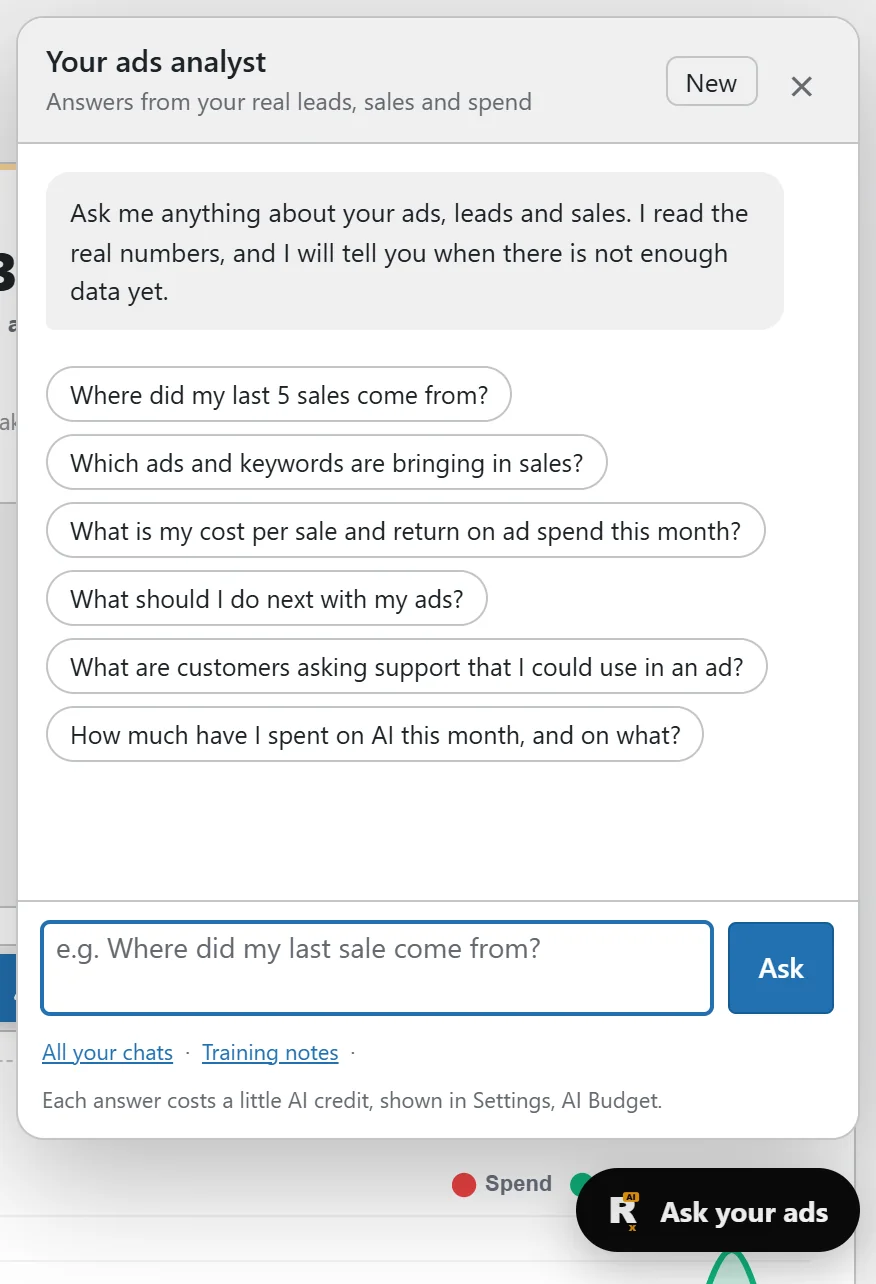
- Press Ask your ads.
- Click a starter question, or type your own in the box.
- Press Ask.
New starts a fresh conversation. All your chats links to AI Chat, and Training notes to Settings.
Good questions:
- Where did my last 5 sales come from?
- Which ads and keywords are bringing in sales?
- What is my cost per sale and return on ad spend this month?
- What should I do next with my ads?
- What are customers asking support that I could use in an ad?
- How much have I spent on AI this month, and on what?
If you ask it to build a campaign, it gives you a button that opens AI Chat with your words already in the box, because building happens there.
Training notes:
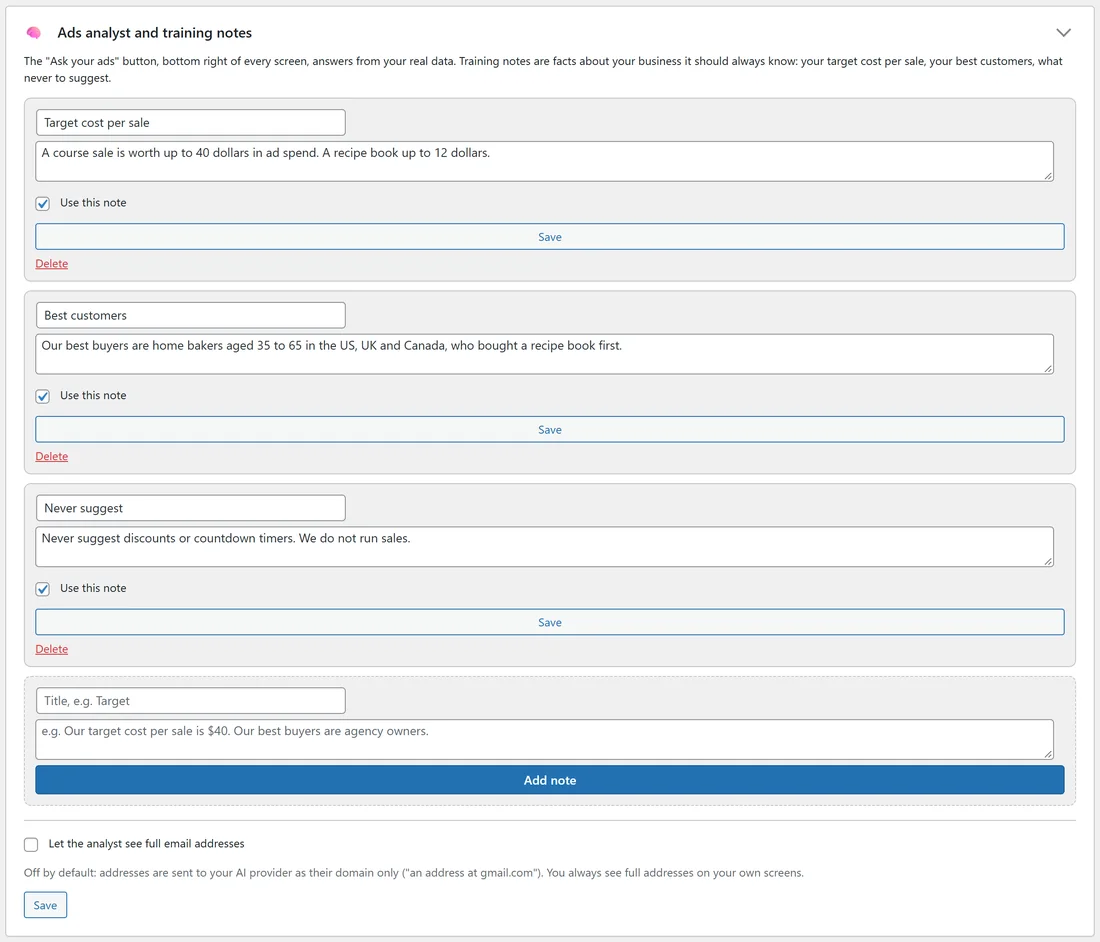
Open Settings, Settings and AI keys, Ads analyst and training notes. Notes are facts about your business it should always know: your target cost per sale, your best customers, what never to suggest.
- Type a title and the note.
- Press Add note. Each note has Use this note, Save and Delete.
The analyst uses them from the next question.
Email addresses:
Let the analyst see full email addresses is off by default: addresses are sent to your AI provider as their domain only ("an address at gmail.com"). You always see full addresses on your own screens.
A real example:
The owner of yoursite.com asked "Which campaign should get more budget?". The analyst answered that the Google Search side of the course campaign cost $29 a sale against the $40 target in its training notes, and suggested raising its budget from $25 to $30 for a week, leaving TikTok as it is.
Tips:
- Write your target cost per sale as a training note. Every answer then measures against it.
- Each answer costs a little AI credit, shown in Settings, AI budget and spend.