JVZoo is a native integration. The tracker recognises JVZoo notifications and reads every field from them, so a short URL is all you paste. The JVZoo Connect add-on gives you each URL with a Copy button, for both vendors and affiliates.
Where To Find It:
Click 🔌 Connections, then 🛒 JVZ Connect. Choose 🏷️ I'm a Vendor or 🤝 I'm an Affiliate at the top. Each role has 📡 Tracking Setup, 💰 JVZ Conversions and 🔒 Security tabs, and 📋 Show Step-by-Step Setup Wizard opens a guided version.
Vendor Setup, The JVZIPN URL:
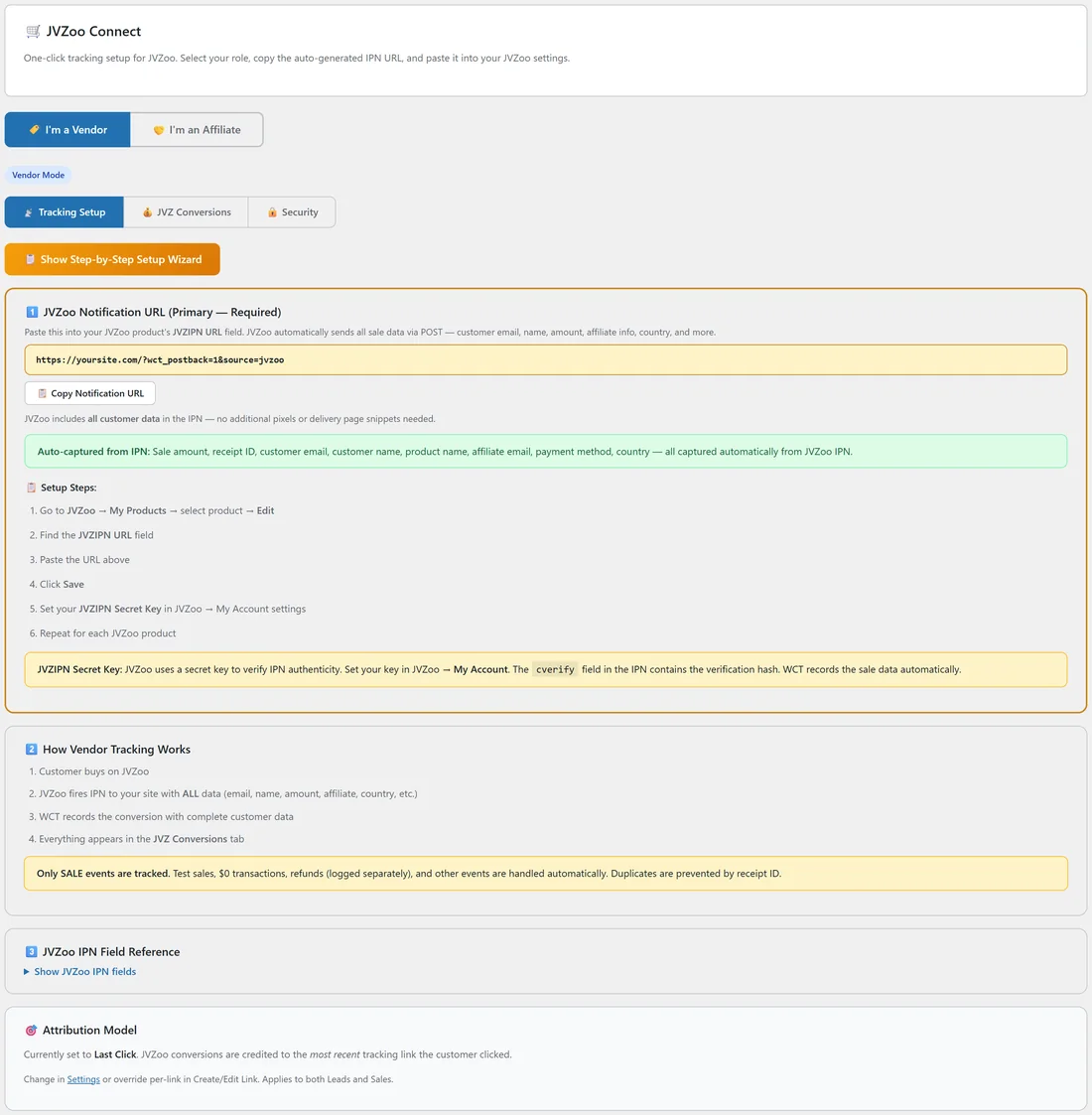
- In JVZ Connect choose 🏷️ I'm a Vendor and copy the URL under 1️⃣ JVZoo Notification URL (Primary, Required). It is yoursite.com/index.php?wct_postback=1&source=jvzoo with your address.
- In JVZoo go to My Products and click Edit on the product.
- Scroll to Advanced Settings and set JVZIPN Version to v2. Version 2 includes the vendor and affiliate split, where version 1 only reports the gross amount.
- Paste the URL into the JVZIPN URL field.
- Click Save Product, and repeat for each product.
The Setup Wizard gives the same URL with &type=sale added. Both work.
The JVZIPN Secret Key:
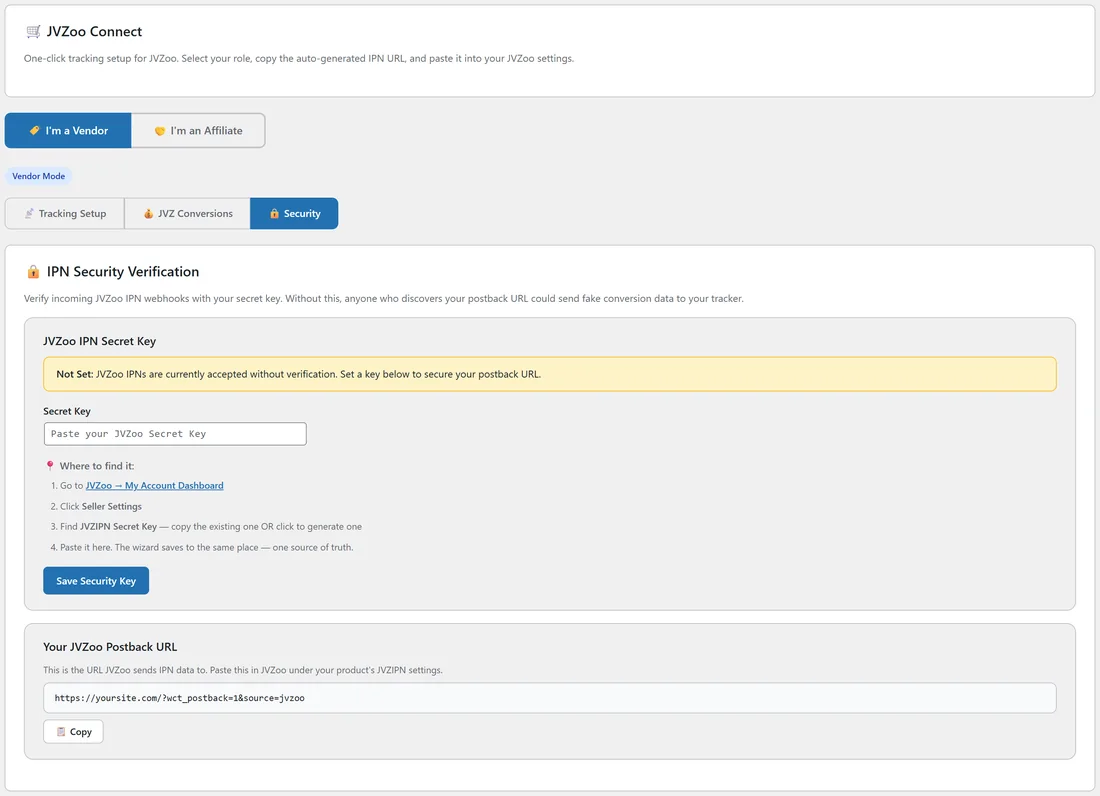
The key is set once in JVZoo and covers every product.
- In JVZoo go to My Account Dashboard, then Seller Settings.
- Copy your JVZIPN Secret Key, or create one if you do not have one yet.
- Paste it into JVZ Connect, 🔒 Security, under JVZoo IPN Secret Key, and click Save Security Key. The Setup Wizard's JVZoo step saves to the same place.
With the key saved, the tracker checks the signature JVZoo sends with each notification and refuses one that does not match, so nobody can push made-up sales into your reports.
Use The Notification, Not A Sale Pixel:
JVZoo sends its notification from its own servers the moment a sale completes, so ad blockers, closed tabs and privacy settings do not matter. A sale pixel on a JVZoo thank you page will always miss some sales, so treat a pixel as a backup at most.
Affiliate Setup, The S2S Postback:
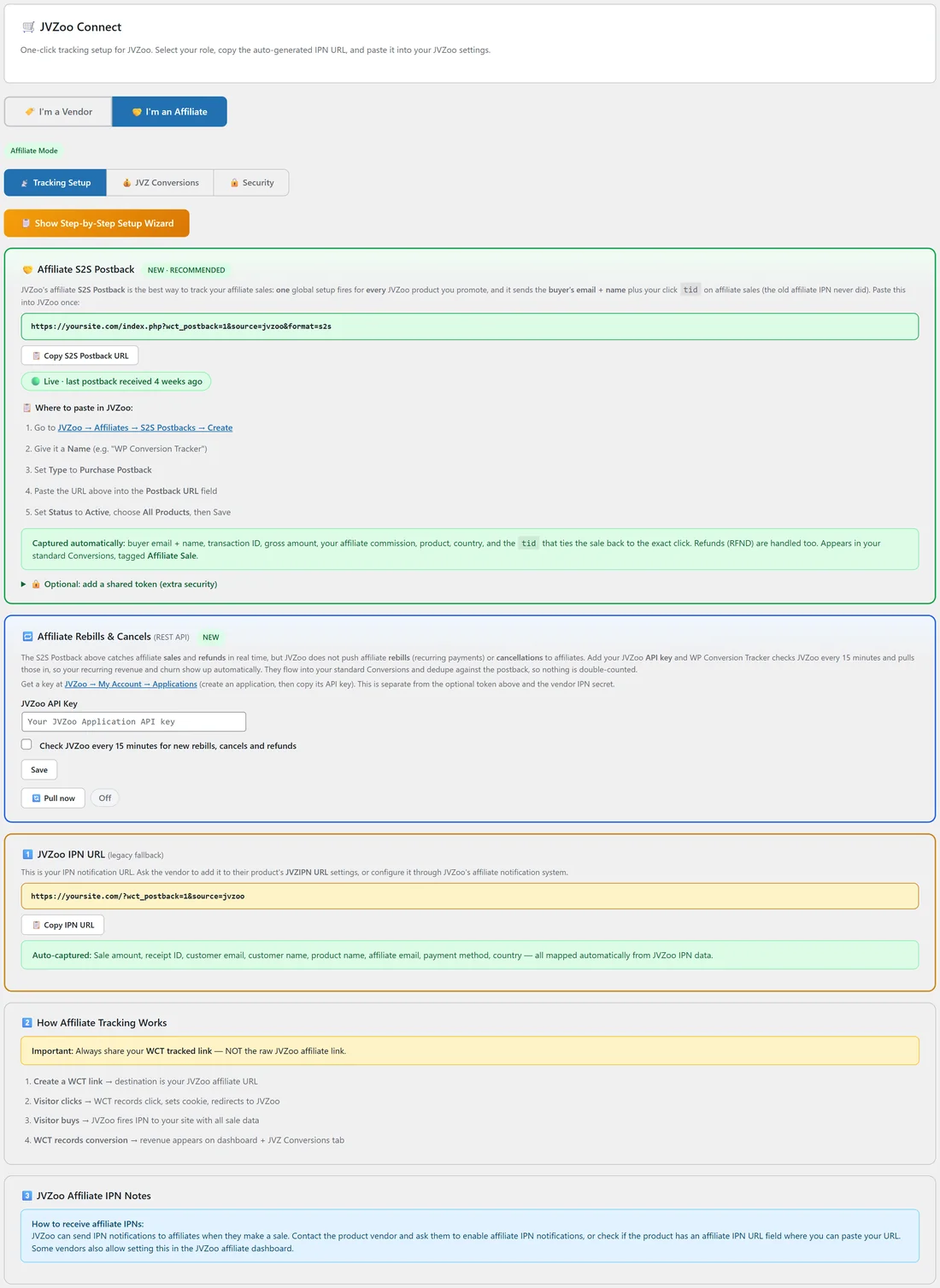
When you promote other people's JVZoo products, use 🤝 I'm an Affiliate. The 🤝 Affiliate S2S Postback card is the recommended route: one global setup that fires for every JVZoo product you promote.
- Copy the S2S Postback URL with 📋 Copy S2S Postback URL.
- In JVZoo go to Affiliates, then S2S Postbacks, then Create.
- Give it a name, for example WP Conversion Tracker.
- Set Type to Purchase Postback and paste the URL into Postback URL.
- Set Status to Active, choose All Products, and save.
The card lists what arrives with each postback: the buyer's email and name, the transaction ID, the gross amount, your commission, the product, the country and the tid. Refunds are handled too. Sales appear on 💰 Conversions tagged Affiliate Sale, and a status line such as Live, last postback received shows when the last one arrived. For extra protection you can add a shared token under 🔒 Optional: add a shared token, and the tracker then ignores postbacks that do not carry it.
Affiliate Rebills And Stopped Subscriptions:
JVZoo does not send affiliate rebills or subscription stops to affiliates. The 🔁 Affiliate Rebills & Cancels (REST API) card fills the gap.
- In JVZoo go to My Account, then Applications, create an application and copy its API key.
- Paste it into JVZoo API Key and tick Check JVZoo every 15 minutes for new rebills, cancels and refunds.
- Click Save. Use 🔄 Pull now to check straight away.
Rebills and late refunds then flow into your normal Conversions and are matched against the postbacks, so nothing counts twice.
Always Share Your Tracking Link:
Create a tracking link whose destination is your JVZoo affiliate link and share that link. When the destination is a JVZoo address, the tracker adds the click ID to it as tid for you.
Dynamic Amount For A Pixel:
If you add a pixel as a backup, JVZoo's amount token is %ctransamount%.
Seeing Your JVZoo Sales:
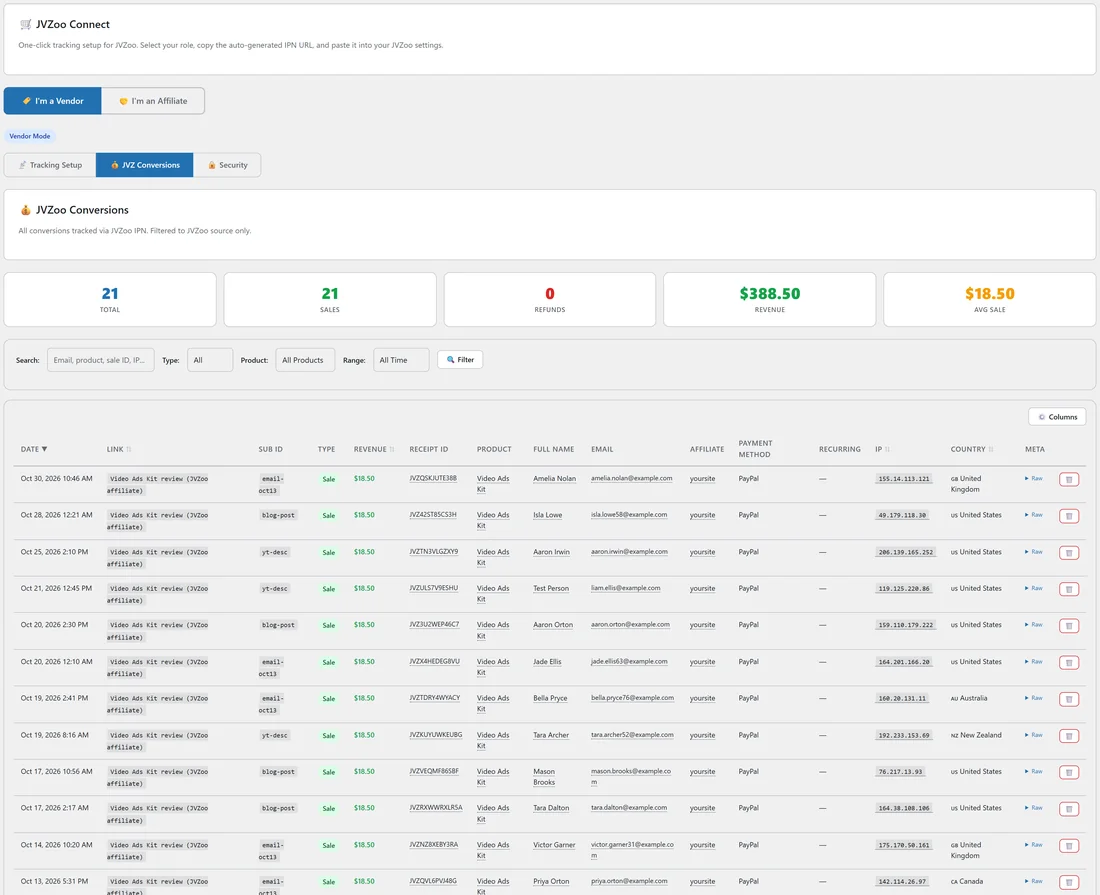
💰 JVZ Conversions shows Total, Sales, Refunds, Revenue and Avg Sale for JVZoo, with search, type, product and range filters and a Columns chooser. JVZoo sales also appear on 💰 Conversions, the Dashboard and each link's Stats page.
A Real Example:
yoursite.com promotes the Video Ads Kit as a JVZoo affiliate. The owner creates the S2S Postback once in JVZoo, adds an API key for rebills, and shares yoursite.com/video-ads-kit/email-oct13 in the newsletter. Each sale arrives with the buyer's name and email, a gross of $37.00 and the commission as Net, and appears in JVZ Conversions and on the Dashboard's 🤝 Top Performing Affiliate Offers chart.
Tips:
- The legacy 1️⃣ JVZoo IPN URL in affiliate mode is a fallback for vendors who send affiliate notifications themselves. The S2S Postback is the better choice.
- See Smart IPN Re-Attribution if your list clicks several of your links before buying.