ResultsAiX Mailer is a complete email system on its own. It was also built as part of a family. Companion plugins that run on the same WordPress site share their data with it directly, because it all lives in the same database: no exports, no Zapier, nothing to copy across.
Each companion is detected by itself the moment it is active. If one is not installed, its features simply do not appear and nothing in the Mailer breaks. Install it later and its filters, segments and panels show up on their own.
What each one adds:
- WP Conversion Tracker: real click history from your website and 13 ready-made buyer segments, such as Whales, Champions, Hot Leads and At Risk. You can target people by what they do on your site, not only in your emails. See WP Conversion Tracker: Click History And Buyer Segments.
- Launch Manager: exact purchase data from WarriorPlus, JVZoo and Stripe, plus your JV partners. You can target buyers of a product, by spend, by how recently they bought, and by whether an affiliate sent them. See Launch Manager: Target Buyers By Product.
- WP Sync: brings subscribers in from 150+ apps and services and keeps them flowing, so your list stays complete wherever people sign up. See WP Sync: Import And Sync From 150+ Apps.
Where to see what is connected:
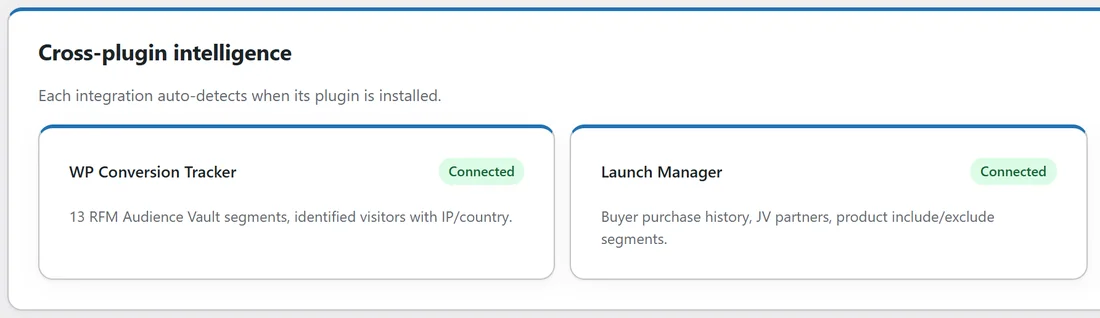
- Setup, then Settings: the Cross-plugin intelligence card at the bottom shows WP Conversion Tracker and Launch Manager, each marked Connected or Add-on.
- Setup, then Integrations: one section per companion, with its status and its sync buttons.
- Setup, then Upgrades: what each companion adds, marked Connected or Locked.
- Setup, then Diagnostics: the Plugin integrations table says whether each one is detected.
- Audience, then Imports: the Sync from anywhere panel shows the state of WP Sync.
Other ResultsAiX connections:
- ResultsAiX Commerce runs on its own server and sends every sale into the Mailer. You connect it with an address and a secret on Setup, then Integrations.
- A membership site or a ResultsAiX Engage install on another site can add people to your lists here with a write key, made on Setup, then Settings, under Write access for your other sites.
- Another site you own can look up what the Mailer knows about a buyer with a read token, made under Read access for other sites.
How the data shows up:
- More filters in every audience builder, under Buyer and WCT Audience Vault.
- Vault segments in every segment picker, each with a live count.
- Buyer details in the subscriber profile: what they bought, when, and what they spent.
- The Makes a purchase trigger in Automations, and revenue on every report.
A real example:
Leafwise Gardening runs the Mailer with WP Conversion Tracker and Launch Manager on the same site. Anna's Settings screen shows both as Connected. When she builds the Black Friday bundle broadcast, she can choose the Vault: Hot Leads segment to reach readers who have been clicking around her site but have not bought, and leave out everyone in her Bundle owners product group so nobody is offered what they already own.
Where to get them:
- WP Conversion Tracker: resultsaix.com/wp-conversion-tracker/
- Launch Manager: resultsaix.com/launch-manager/
- WP Sync: the Get WP Sync button on Audience, then Imports.
Tips:
- Start with the Mailer on its own. Add a companion when you want the data it brings.
- After installing a companion, open Setup, then Integrations to run its first sync.
- Use product groups to name a set of products once. See Product Groups: Name A Set Of Products Once.