ActiveCampaign connects through its API. Once it is connected, the plugin reads your lists, and every opt-in is added to the list you choose, with the first name when you collect it.
Where to find it:
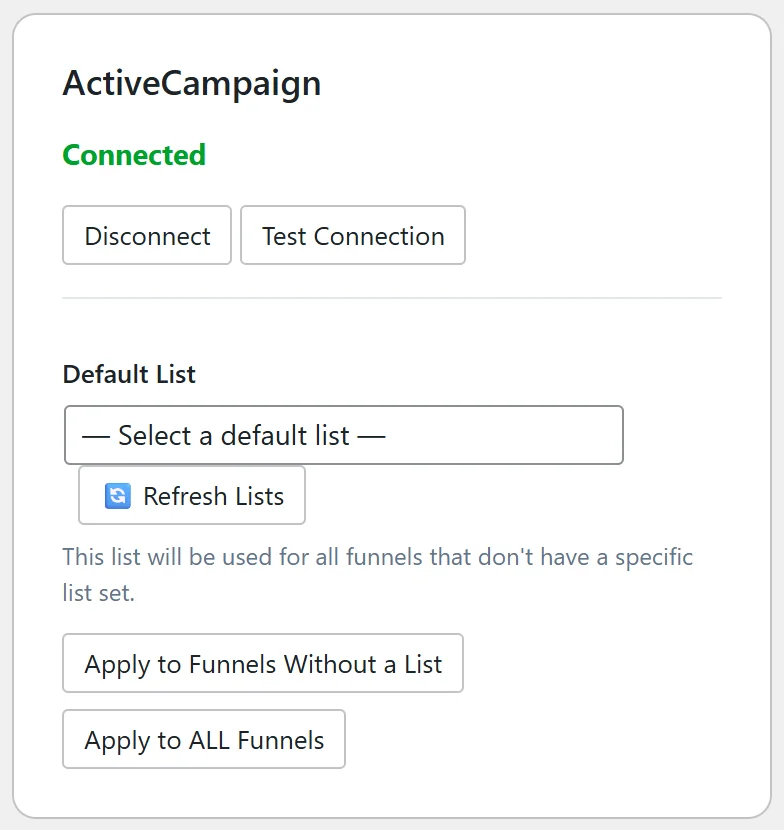
Go to Free List Building → Autoresponders and scroll to the ActiveCampaign card under Other Autoresponder Connections.
Where to find your Account URL and API key:
- Log in to ActiveCampaign.
- Click Settings (the gear at the bottom left).
- Click Developer.
- Copy the URL (it starts with https:// and your account name) and the Key.
Step by step:
- Paste the URL into the Account URL box.
- Paste the key into API Key.
- Click Connect. The page reloads and the card says Connected.
- Click Test Connection. A message tells you the connection worked and how many lists were found.
- Pick your list in Default List. Choosing a list saves it as the default straight away and fills it in on every funnel that has no list yet.
- Use Apply to Funnels Without a List or Apply to ALL Funnels if you want to set it on more funnels (see Autoresponder Management Features).
What happens on each opt-in:
The plugin creates or updates the contact in ActiveCampaign with their email and first name, then adds the contact to the list as an active subscriber. Your ActiveCampaign automations that start when someone joins that list then run as normal.
Sending one funnel to its own list:
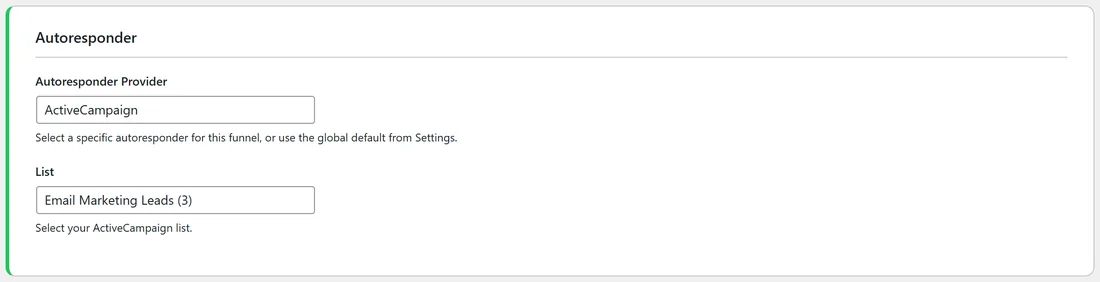
Open the funnel's edit page, choose ActiveCampaign in Autoresponder Provider, then pick the list in the List dropdown. Each list shows its ID in brackets.
A real example:
Sam Rivera keeps most funnels on Mailchimp, but sends FREE Email List Building Checklist to the ActiveCampaign list Email Marketing Leads, list 3. That list starts a five email series about growing a newsletter, which matches what those readers asked for.
Tips:
- Lists are kept for 24 hours to keep the screens fast. After you create a new list in ActiveCampaign, click Refresh Lists on the card.
- The card buttons are Disconnect and Test Connection. Disconnect removes the saved URL and key from this site.
- If an opt-in does not arrive, the Debug Log in Settings shows the exact reply from ActiveCampaign (see Built-in Debug Logger).