Sendiio connects with values from your Sendiio form code, with no API key. You paste your list ID once, and every funnel that uses Sendiio sends its subscribers to that list.
Where to find it:
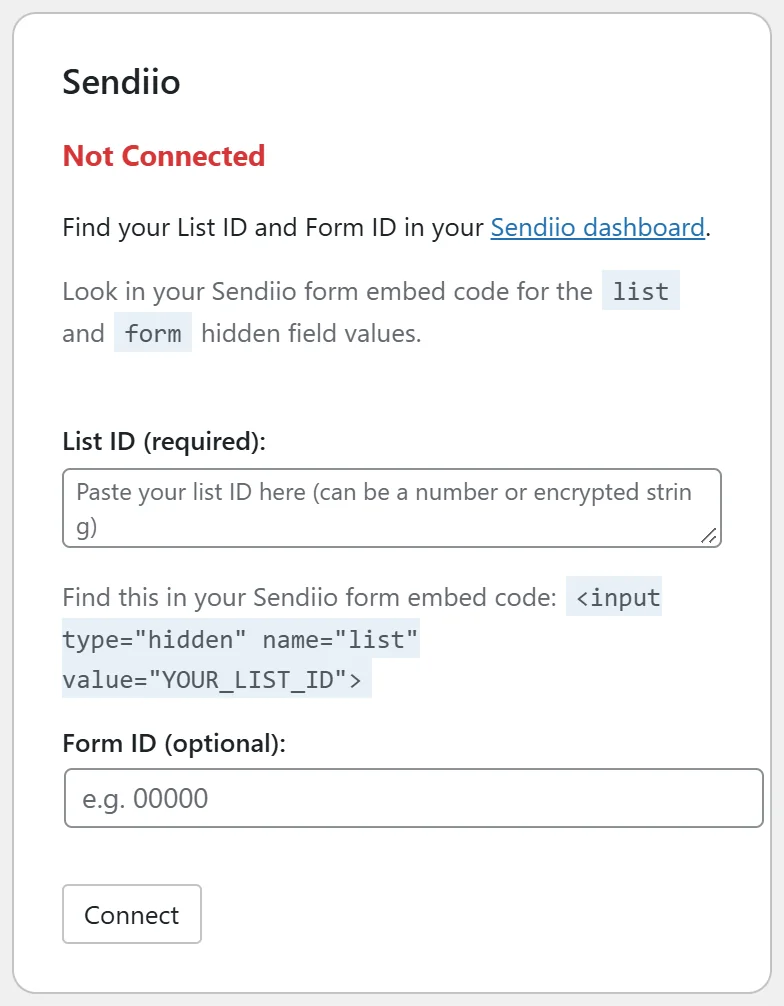
Go to Free List Building → Autoresponders and find the Sendiio card.
How to find your list ID and form ID:
- Log in to Sendiio and open the form you use for the list.
- Open the form's embed code.
- Find the hidden field named list and copy its value. It can be a number or a long coded string; copy all of it.
- Optional: find the hidden field named form and copy its value too.
Step by step:
- Paste the list value into List ID (required).
- Paste the form value into Form ID (optional) if you have one.
- Click Connect. The card shows Connected with the start of each ID, plus a Default List ID box.
- To send all funnels to it, use Apply to Funnels Without a List or Apply to ALL Funnels, or choose Sendiio as Default Autoresponder in Settings.
How it works on the opt-in page:
When a visitor submits the form, the plugin first saves their email in your Lists tab, then sends the sign-up to Sendiio from the visitor's browser, and then takes the visitor to the funnel's download page. The visitor stays on your site the whole time.
Per funnel:
On a funnel's edit page choose Sendiio in Autoresponder Provider. The field is then called Sendiio List ID. Paste another list's value to send that funnel elsewhere, or leave it blank to use the card's list.
A real example:
A partner of Sam Rivera uses Sendiio. They paste their list value and form value on the card, click Apply to ALL Funnels, and test with a fresh address. The address appears in the Sendiio list and in the plugin's Lists tab.
Tips:
- Paste long coded list IDs exactly as they are. The plugin keeps every character.
- If the download page does not open after submitting, see "Sendiio Form Submits But Does Not Redirect to Download Page".
- See Collected Emails to check each sign-up landed on your site.