The GetResponse (Campaign Token) connection needs no API key. The funnel form saves the email on your site, sends it straight to GetResponse with your campaign token, and takes the visitor to the download page. Everything rests on one value: the campaign token.
Where to find it:
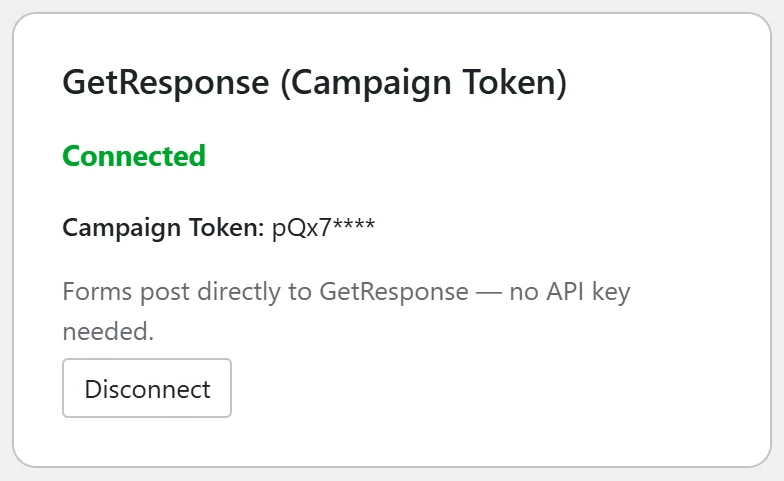
Go to the Autoresponders tab and find the GetResponse (Campaign Token) card. When a token is saved it says Connected and shows the first four characters of the token.
Step by step:
- In GetResponse, open the sign up form for the list you want and get its HTML embed code.
- In the code, find the hidden field named campaign_token and copy only its value (the short code in the value part).
- On the GetResponse (Campaign Token) card, click Disconnect, paste the value into Campaign Token (required) and click Connect.
- If a funnel has its own token, open the funnel's Edit page. With GetResponse (Campaign Token) as Autoresponder Provider the list field is called Campaign Token. Paste the value there and click Save Funnel Settings.
- Open the funnel in a private window, subscribe with a spare address and check GetResponse.
If the address reaches your Lists tab but not GetResponse:
The token is not accepted for that list, or the list asks for confirmation first. Copy the token again from a fresh form code and check whether that list uses double opt-in. A contact who has not confirmed yet does not show as active.
If you want list choices and day 0 sequences:
Switch to the GetResponse (API) connection. It lists your campaigns in a dropdown and starts every new subscriber at day 0. See GetResponse (API).
A real example:
Your Site's token was copied with an extra space at the end. The Lists tab showed the opt-ins, but GetResponse did not. Sam copied the value again from the form code, reconnected the card, and the next test arrived in GetResponse.
Tips:
- Copy the value only, not the whole field.
- The Lists tab's Funnel Connection Overview shows which funnels use the token. See Funnel Connection Status.
- See GetResponse Legacy (Campaign Token) for the full setup.