Sometimes funnel files go missing: a backup restore skips the uploads folder, a host move leaves files behind, or a clean-up plugin removes a folder. The Asset Manager shows you which funnels are affected and puts them back.
Where to find it:
Free List Building, then the Assets tab. Look at Overall Status and the Category Breakdown table.
How to spot missing files:
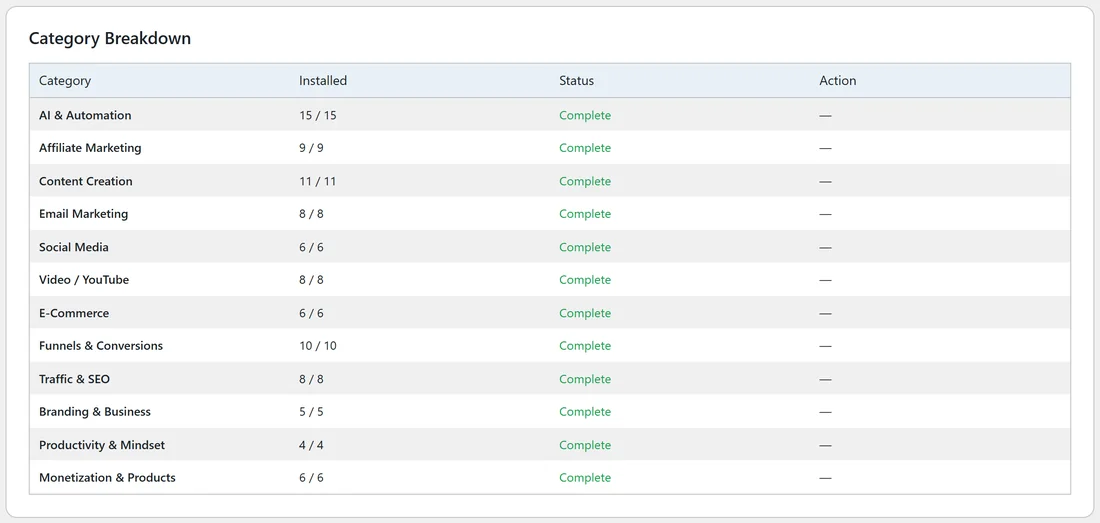
- Overall Status reads less than 96 / 96, for example 90 / 96 Funnels Installed.
- One or more categories show Partial (orange) or Not Installed (red) in the Status column.
- The Funnels tab shows "No Assets" instead of a cover image on the affected cards.
- The Dashboard's Funnels Installed card shows a lower number.
Step by step: fetch one category again:
- Open the Assets tab.
- In the Category Breakdown table, find the row that is not Complete.
- Click Download in its Action column.
- The page reloads when it finishes. The row now shows Complete.
Step by step: fetch everything again:

- Click Download All Funnel Assets in the Overall Status card.
- Wait for "All assets installed!". The page reloads by itself.
- Check that Overall Status reads 96 / 96.
Downloading all again replaces every funnel's files with fresh copies. Your settings, your rebranded PDFs and your legal page changes are stored separately and stay as they are.
After an FTP upload:
If you put the folders back yourself, click Scan for Manually Uploaded Assets. A message tells you how many funnel folders were found, for example "96 of 96 funnel assets found.", and the page reloads with the new counts.
A real example:
Sam moves yoursite.com to a new host. The Dashboard shows 90 / 96 Funnels Installed. On the Assets tab the Video / YouTube row reads Partial. Sam clicks its Download button, the page reloads, and the row shows 8 / 8 Complete.
Tips:
- Check the Assets tab after any host move or restore.
- The Diagnostics tab lists the uploads folder under Critical Plugin Files and shows the installed count too (see The Diagnostics Tab).
- If downloads stop part way on your host, see Manual Upload via FTP and "Assets Not Downloading".