Sometimes you want to use a page you built yourself, in another page builder or on another part of your site, but keep the funnel's short address and its stats. The External URL Override does exactly that. Visitors who open the funnel address are sent straight on to your page.
You can override the squeeze page, the download page, or both, for any single funnel.
Where to find it:
Open the Funnels tab, click Edit on the funnel, and scroll to the External URL Override section, below Download Page Resources & Banners.
The settings:
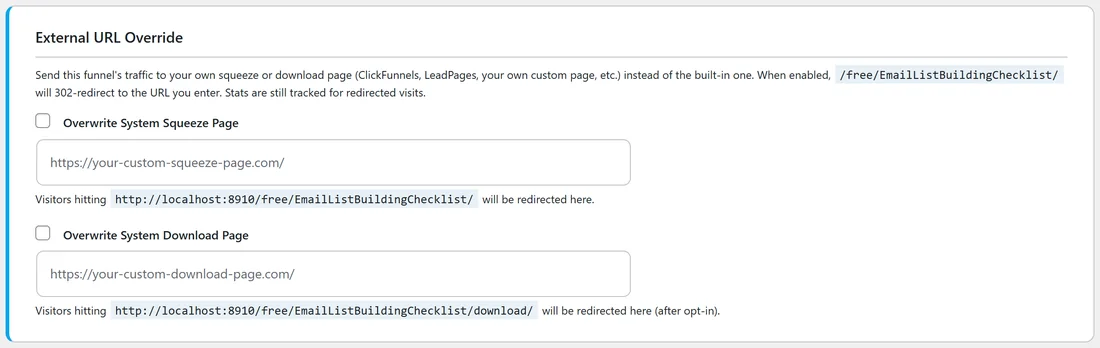
- Overwrite System Squeeze Page: tick the box and type the address of your own opt-in page. Visitors who open the funnel address, for example yoursite.com/free/EmailListBuildingChecklist/, are redirected there.
- Overwrite System Download Page: tick the box and type the address of your own thank-you page. Visitors who reach the funnel's download address after opting in are redirected there.
Under each field the plugin shows the exact funnel address that will be redirected.
Step by step:
- Build your page and copy its full address, starting with https://.
- Open the funnel's Edit page and scroll to External URL Override.
- Tick Overwrite System Squeeze Page or Overwrite System Download Page.
- Paste your address into the field under it.
- Click Save Funnel Settings.
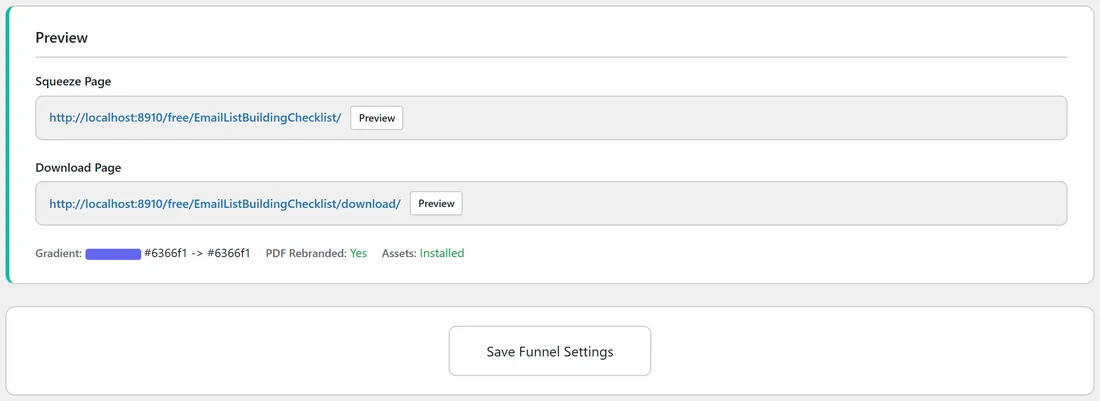
- In the Preview section, check the line Redirects to: under the page you changed, then click Preview to test it.
How the stats keep working:
The redirect is a temporary (302) redirect, so you can switch it off at any time. Before it sends the visitor on, the plugin still records the visit: a page view for the squeeze page and an opt-in for the download page. Your Dashboard and the funnel's stats cards stay complete.
Switching it off:
Untick the box and click Save Funnel Settings. The field is cleared and the funnel serves its own page again straight away.
A real example:
Sam built a longer opt-in page for the Email List Building Checklist on yoursite.com/checklist-offer/, with a video and testimonials. Sam ticks Overwrite System Squeeze Page, pastes https://yoursite.com/checklist-offer/ and saves. All the links Sam has already shared to yoursite.com/free/EmailListBuildingChecklist/ now land on the new page, and the funnel's page views keep counting.
Tips:
- If your own opt-in form sends people to the funnel's download address, the download page and your Recommended Resource keep working and the opt-in is counted.
- Your own page uses its own form, so make sure it adds people to your autoresponder.
- The override works per funnel. Every other funnel keeps its built-in pages.
- See Funnel URL Structure for the exact addresses of each funnel page.