If your email service is not on the list, use Custom HTML Form. You paste the sign-up form code your service gives you, once, and the plugin puts it on the squeeze pages of the funnels that use it.
Where to find it:
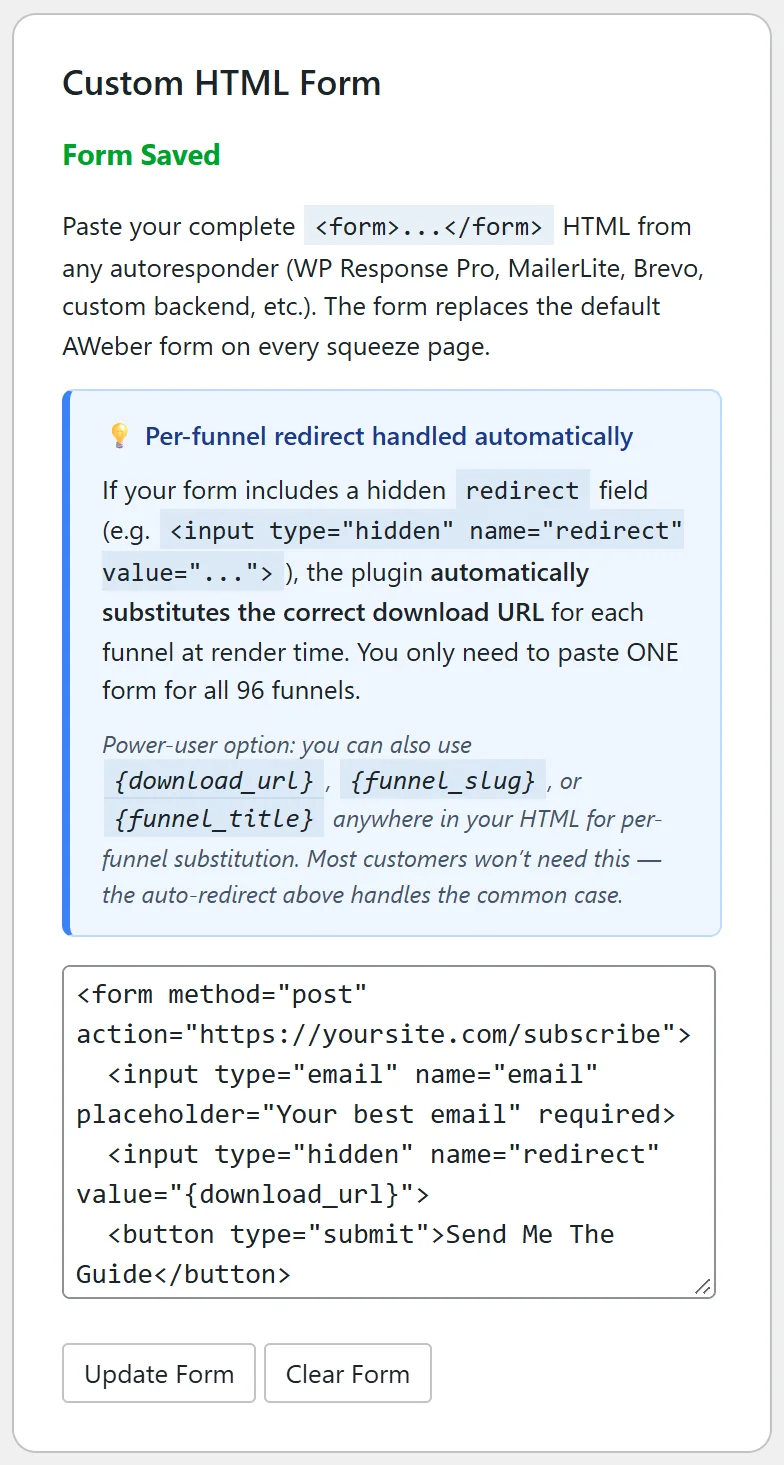
Go to Free List Building → Autoresponders and find the Custom HTML Form card. It reads No Form Set until you save one, then Form Saved.
Step by step:
- In your email service, create a sign-up form for your list and copy its full embed code, from the opening form tag to the closing one.
- Paste it into the big box on the Custom HTML Form card.
- Click Save Form. The card shows Form Saved, with Update Form and Clear Form buttons.
- Choose Custom HTML Form as Default Autoresponder in Settings, or choose it on the edit page of the funnels that should use it.
- Open a funnel in a private window and test the form.
Sending people to the right download page:
- If your form has a hidden field named redirect, the plugin swaps its value for the correct download page of each funnel. One pasted form works for all 96 funnels.
- You can also type {download_url}, {funnel_slug} or {funnel_title} anywhere in the form code. Each is replaced with that funnel's own value when the page is shown.
What is kept from your code:
Form fields, buttons, labels and simple layout tags are kept. Scripts are removed for safety, so use the plain form version of your embed code.
A real example:
A friend of Sam Rivera uses a small email service that is not listed. They paste its form, which already has a hidden redirect field, and set Custom HTML Form as the default. Every funnel now posts to their service and sends people on to that funnel's own download page.
Tips:
- If your service shows its own thank-you page after the sign-up, set that page's address to {download_url} where your service allows it.
- Keep a copy of the form code; Clear Form removes it from the plugin.
- See Default Autoresponder vs Per-Funnel Overrides to use the custom form on only some funnels.