Getting visitors to a funnel is half the job, so every funnel comes with its own Traffic Toolkit. It is a page of promotion content written for that one funnel, with its link already filled in. You copy, adjust a few words and post.
Where to find it:

Open the Funnels tab and click the Traffic button on any funnel card. The top of the page shows the cover, the title Traffic Toolkit: followed by the funnel name, and the funnel link with Copy Link and Open Funnel buttons.
What is on the page:
- Share Right Now: Facebook, X / Twitter, LinkedIn, Pinterest and WhatsApp buttons that open each network with the funnel link filled in, plus a preview of the funnel's share image.
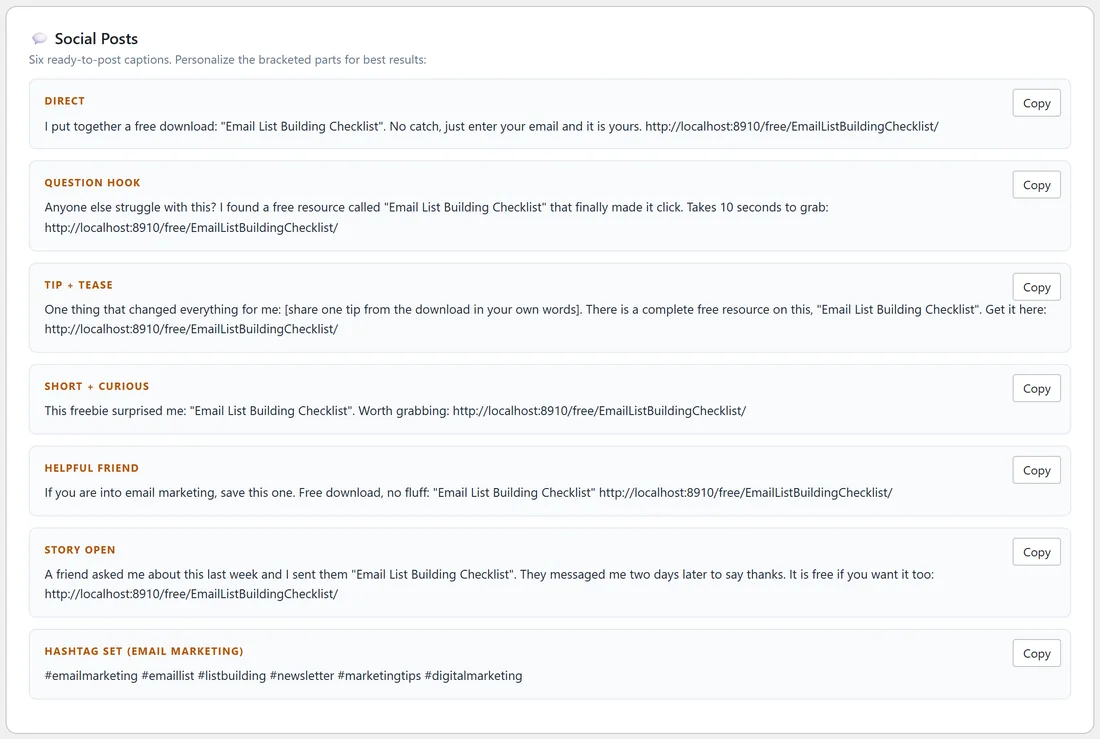
- Social Posts: six captions in different styles, labelled Direct, Question Hook, Tip + Tease, Short + Curious, Helpful Friend and Story Open, plus a Hashtag set for the funnel's category.
- Pinterest Pins: two pin titles, each with a description.
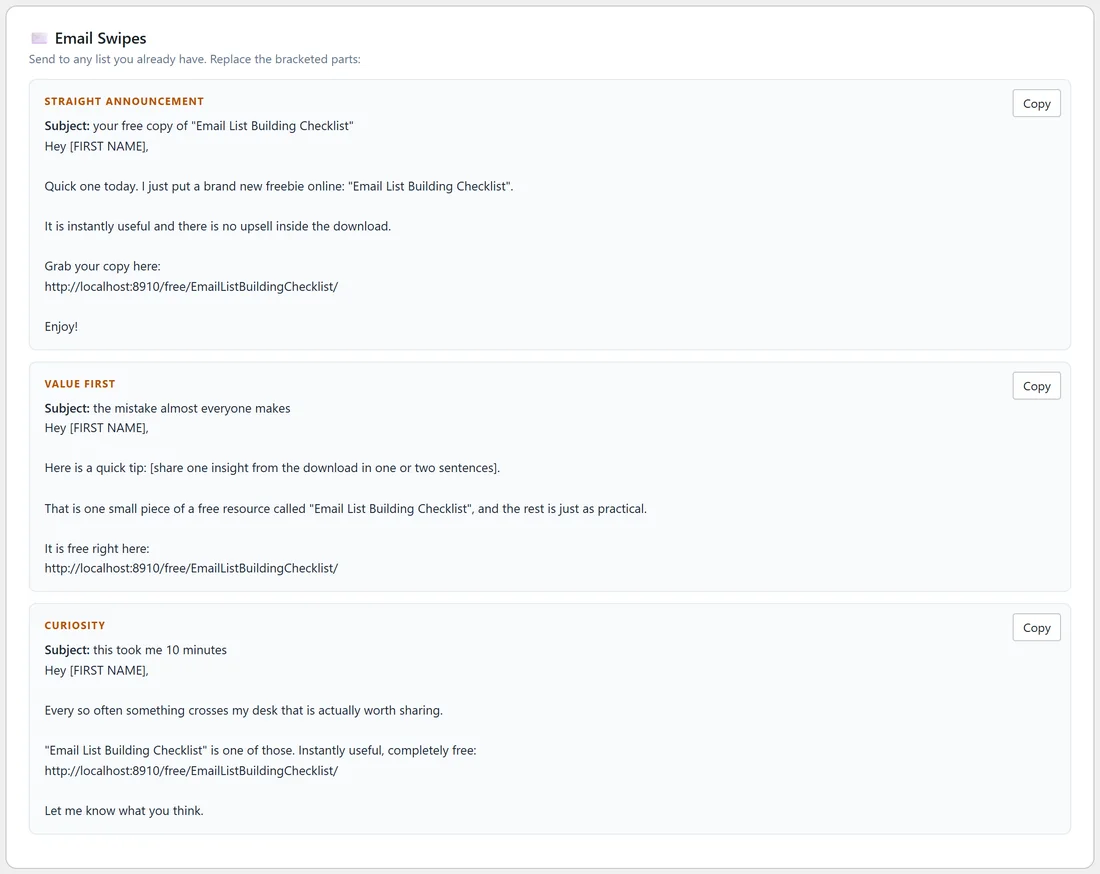
- Email Swipes: three complete emails with subject lines, labelled Straight Announcement, Value First and Curiosity, for sending to a list you already have.
- DM & Forum Blurbs: a Reply to a Question and a DM Follow-up.
- Short Video Script (TikTok / Reels / Shorts): a 20 to 30 second script with a hook, problem, value, call to action and on-screen text.
- Turn This Funnel Into Income: offer types that suit people who download this funnel, and a short list of places to find offers.
Every block has a Copy button. The button reads Copied! for a moment once the text is on your clipboard.
Step by step:
- On the Funnels tab, click Traffic on the funnel you want to promote.
- Click one of the Share Right Now buttons, or click Copy on a caption.
- Paste it into the network and replace any part in square brackets, such as [FIRST NAME] or [share one tip from the download in your own words].
- Post it. Come back tomorrow and use a different caption.
The share image:
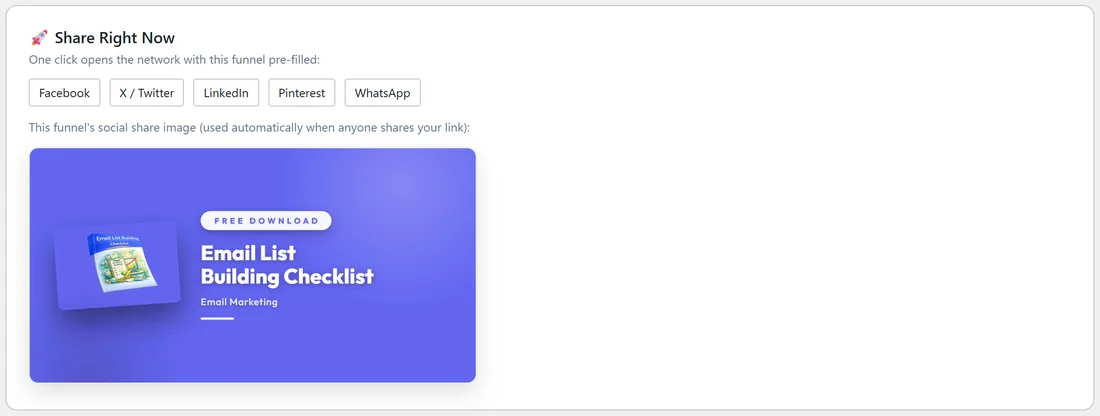
When anyone shares the funnel link, networks show the funnel's designed 1200 by 630 share image with the cover and title. You do not need to make anything. To use your own picture for one funnel, set Social Share Image on that funnel's Edit page. Your image always wins.
Turning traffic into income:
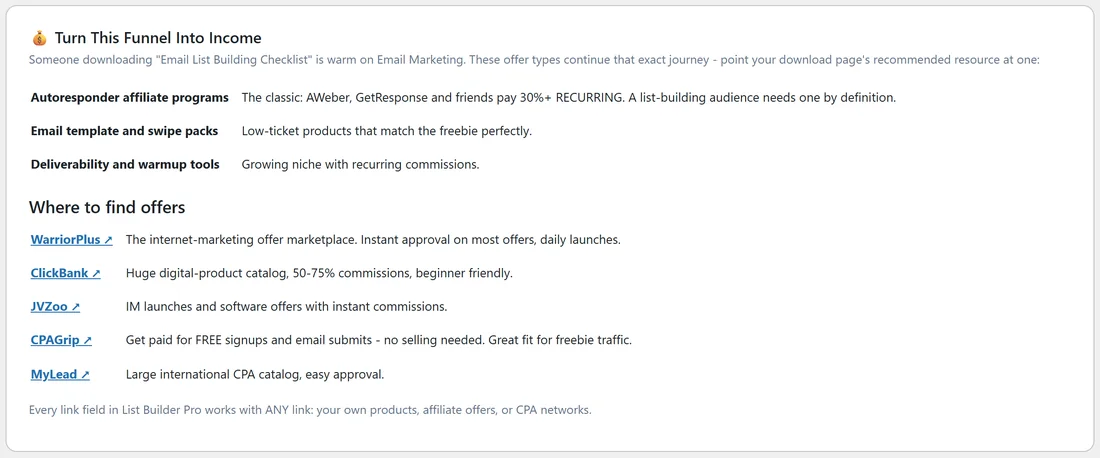
The last block suggests offer types that match the funnel's topic. For an email funnel it suggests autoresponder affiliate programs, email template packs and deliverability tools. Point your Recommended Resource at one of them, on the funnel's Edit page or in Settings.
A real example:
Sam opens the Traffic Toolkit for FREE Email List Building Checklist. On Monday Sam copies the Question Hook caption into a Facebook group post. On Wednesday Sam sends the Value First email to the existing Your Site newsletter, after writing one real tip from the checklist where the brackets are. On Friday Sam records the 30 second script as a Reel. The squeeze page picks up 120 views that week.
Tips:
- One funnel a day, one caption, in your own words, is a simple routine that adds up.
- Always replace the bracketed parts before you post. They are there so the post sounds like you.
- The toolkit uses your current URL Prefix, so the links are always right.
- Track which posts send the most visitors with the Page Views card on the funnel's Edit page (see Per-Funnel Stats Cards).