The add-on adds to your site without changing what you already have. This page explains what it does for your 96 built-in funnels, and every place a custom funnel shows up.
Your 96 built-in funnels:
Nothing about them changes. They keep their pages, settings and stats. Your custom funnels are added alongside them.
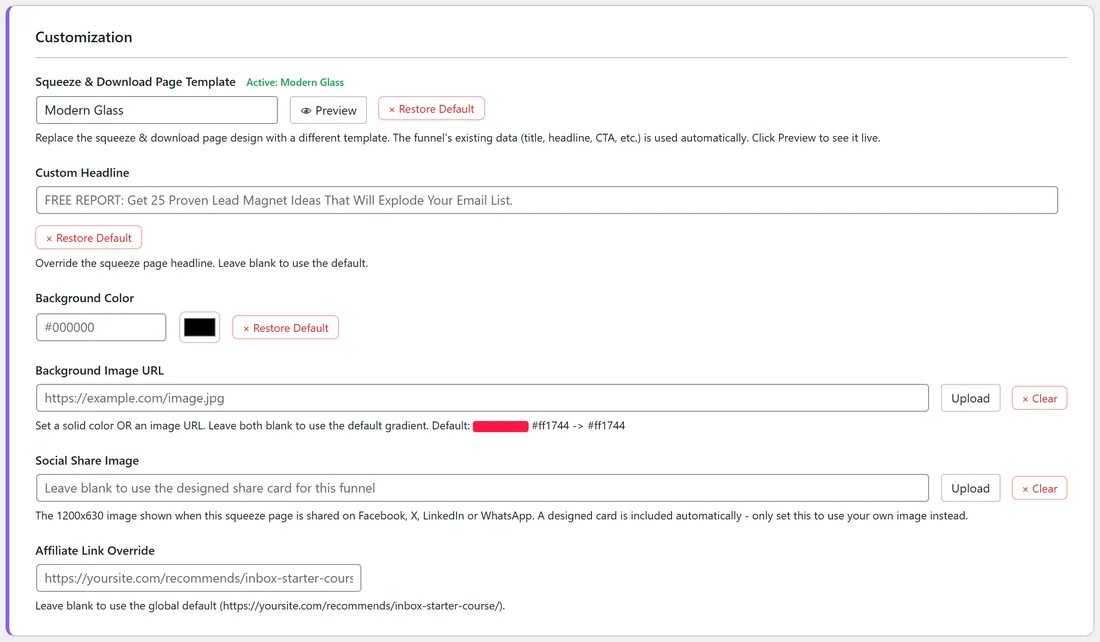
The add-on also adds page templates for the built-in funnels. Without it, a built-in funnel's Edit page shows a note to install the FLBW Funnel Builder addon to use 9 alternate templates. With it, you get a template list.
Step by step: give a built-in funnel a new template:
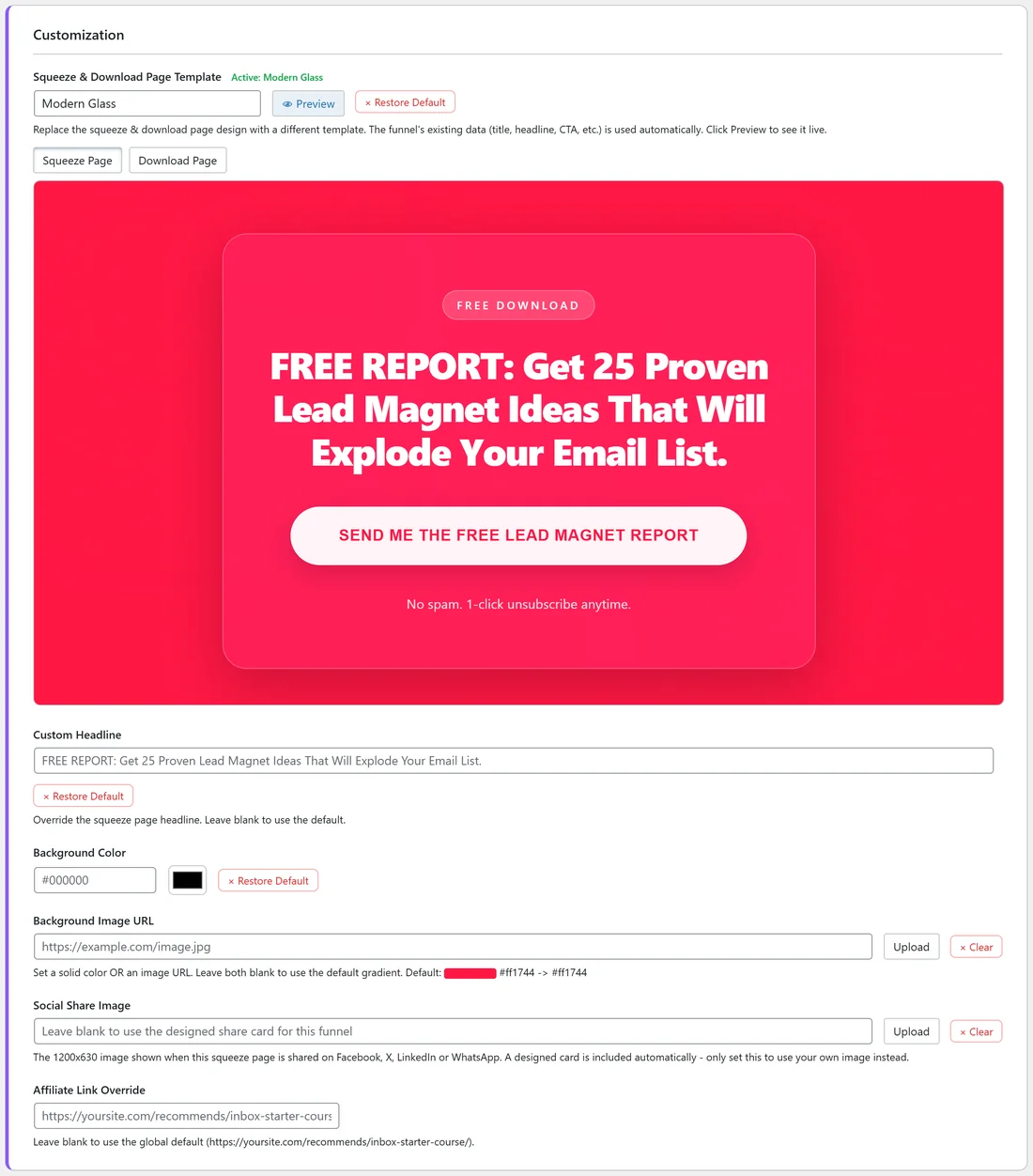
- Open the Funnels tab and click Edit on the funnel.
- In the Customization section, open Squeeze & Download Page Template.
- Pick a template, for example Modern Glass.
- Click Preview. Use Squeeze Page and Download Page to see both pages with that funnel's own text.
- Click Save Funnel Settings at the bottom of the page.
- To go back to the original design, click Restore Default and save.
Where custom funnels appear:
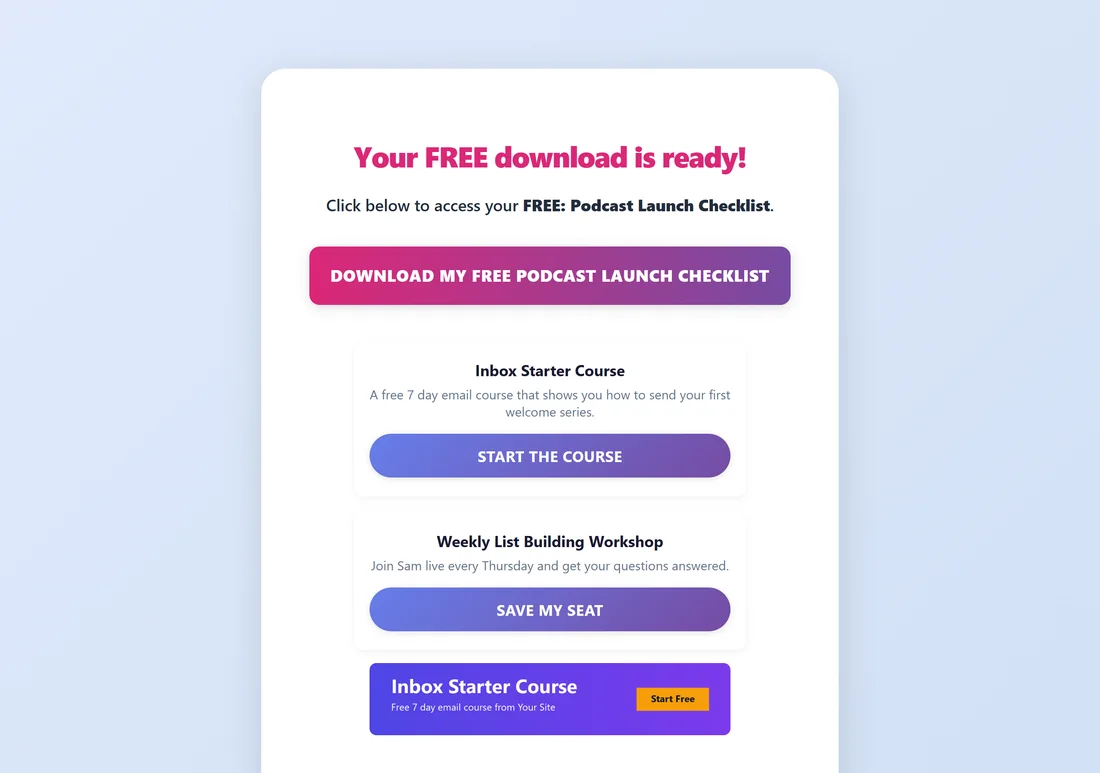
- Squeeze page: yoursite.com/free/your-funnel/ (or your own URL Prefix from Settings).
- Download page: yoursite.com/free/your-funnel/download/. Visitors land here after they opt in.
- Legal pages: Privacy Policy, Terms and Disclaimer in the same place, linked in the footer. They follow your Legal tab choices like every other funnel.
- The Funnels tab in the main plugin, with the built-in funnels, its on and off switch, its Edit page and its Traffic Toolkit.
- The Lists tab, with its connection status and collected emails.
- The Showcase page, in its category, with its cover image.
- Files: wp-content/uploads/listbuilderpro-assets/funnels/your-funnel/ on your server.
A real example:
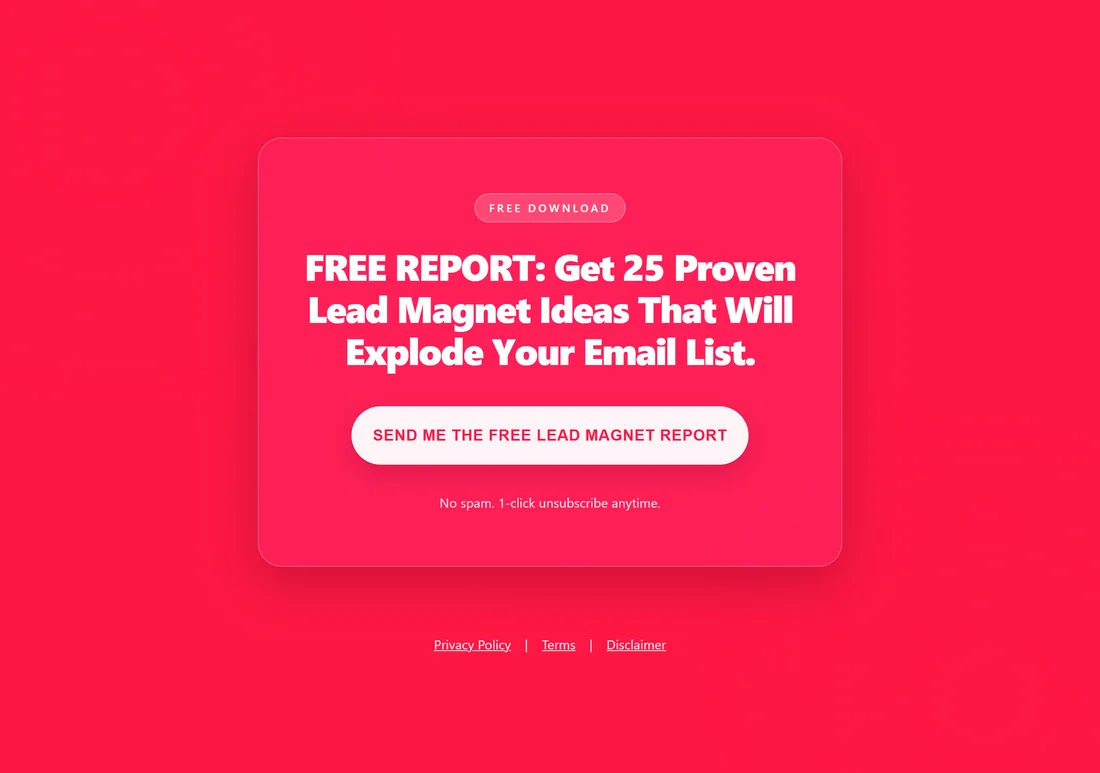
Sam set the built-in FREE 25 Lead Magnet Ideas Report to Modern Glass, previewed it with the funnel's own headline, and saved. The squeeze page at yoursite.com/free/25LeadMagnetIdeasReport/ now uses the new design, while its list, stats and download page stayed as they were. The custom Podcast Launch Checklist download page, at yoursite.com/free/podcast-launch-checklist/download/, shows Sam's global Recommended Resources just like the built-in funnels.
Tips:
- Try a template on one built-in funnel, watch its conversion rate on the Edit page for a week, then decide.
- Custom funnels get a Traffic Toolkit too. Click Traffic on their card on the Funnels tab (see The Traffic Toolkit).