Every opt-in on a funnel is handled in two places: your own site records it, and your autoresponder adds the subscriber to your list. Comparing the two tells you quickly where to look.
Where to find it:

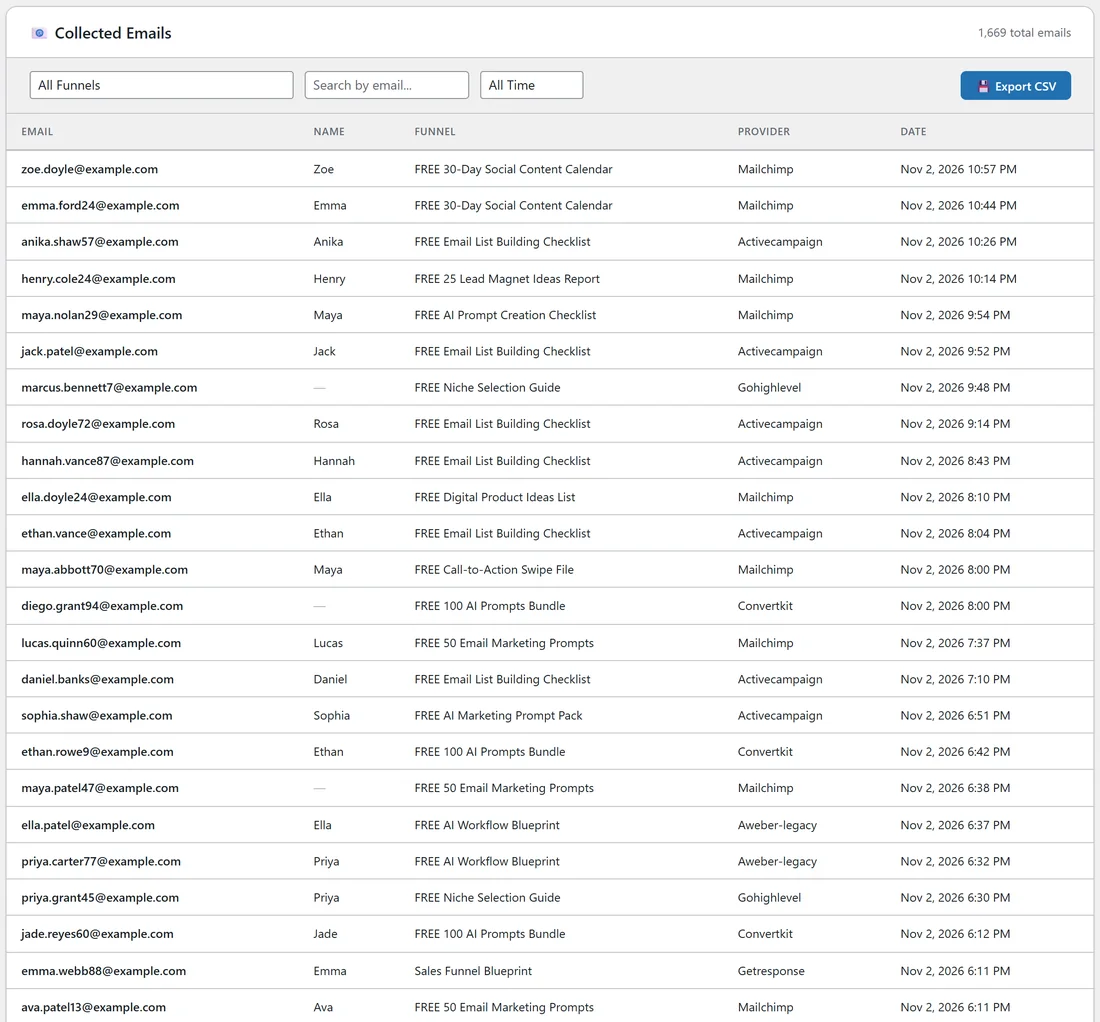
Go to Free List Building and click the Lists tab. At the top you see Connected, Missing List, No Provider, Total Opt-ins and Emails Captured. Below are the Funnel Connection Overview and Collected Emails.
Step by step:
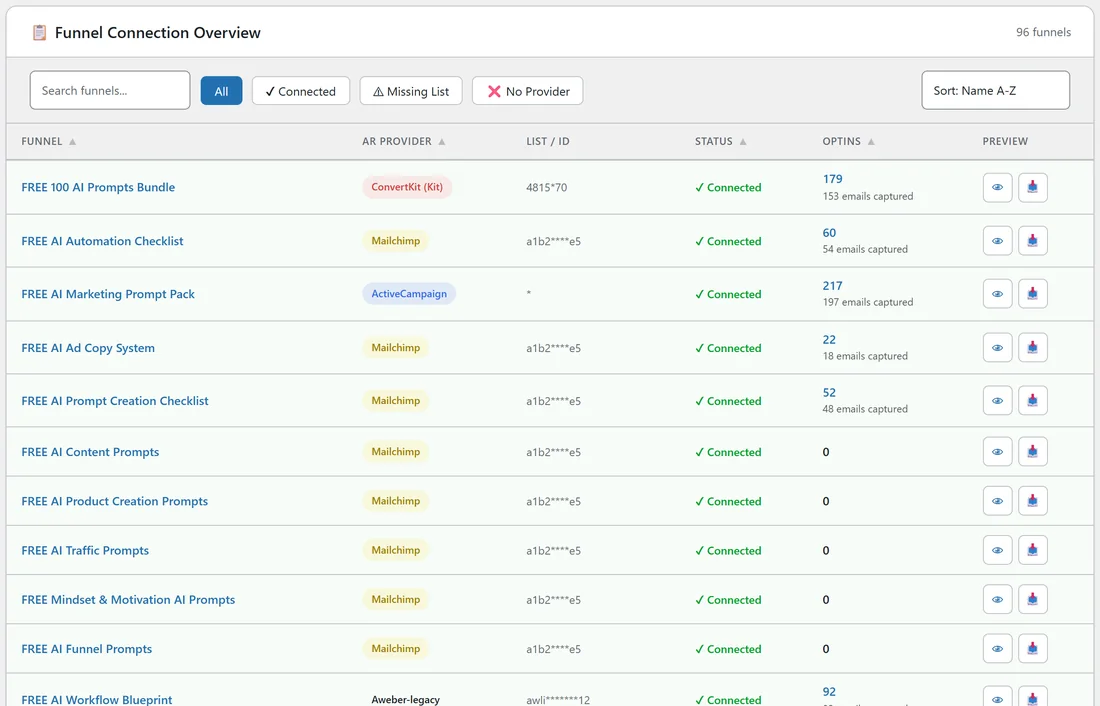
- In Funnel Connection Overview, find the funnel. Status should say Connected. Missing List or No Provider means the funnel has nowhere to send emails. Fix it on the Autoresponders tab or on the funnel's Edit page.
- Check the AR Provider and List / ID columns for that funnel. They show what the funnel really uses, including the global default when the funnel has no setting of its own.
- Subscribe on the funnel yourself with a spare address that is not on your list yet. Use a private browser window.
- Look in Collected Emails. If your address is there, the form worked on your site.
- Look in your autoresponder. If the address is missing there, see the next sections.
If the address is on the Lists tab but not in your autoresponder:
- With an API provider (Mailchimp, ActiveCampaign, GetResponse, ConvertKit, Brevo, GoHighLevel, Systeme.io, SendFox, Sendibl, Encharge), open Settings, Debug Log. The line for that opt-in shows the provider's reply. See "Could Not Subscribe" Error.
- With AWeber, Sendiio, GetResponse (Campaign Token), LeadsLeap or a Custom HTML Form, the form posts straight to the provider. Check the list ID or token on the Autoresponders tab, and check whether that list uses confirmation emails.
If the subscriber is waiting for confirmation:
Many providers send a confirmation email first (double opt-in). Until the reader clicks it, they show as unconfirmed, for example in AWeber's unconfirmed subscribers. That is normal. A clear note on your download page, such as "Check your inbox to confirm", helps more people confirm.
If the address is not on the Lists tab either:
The form never reached your site. Open the funnel in a private window, try again and look at the browser console (F12) for a red message. A caching or security plugin can block the form. See Plugin Conflicts.
A real example:
Your Site's AI Workflow Blueprint funnel uses AWeber with the list awlist6634812. New emails showed in Collected Emails but not in AWeber's subscribers. They were in AWeber's unconfirmed list, waiting for the confirmation email. Sam added a confirm reminder to the welcome step and confirmations went up.
Tips:
- Opt-ins on the Dashboard counts visits to the download page, and Emails Captured counts the addresses your site received. See "Stats Seem Inflated / Too High".
- Export your Collected Emails any time with Export CSV. See Export Opt-ins as CSV.