Categories group your funnels on the Showcase page and in the wizard's Category list. The add-on lets you add your own, and restyle the 12 built-in ones so the Showcase matches your brand.
Where to find it:
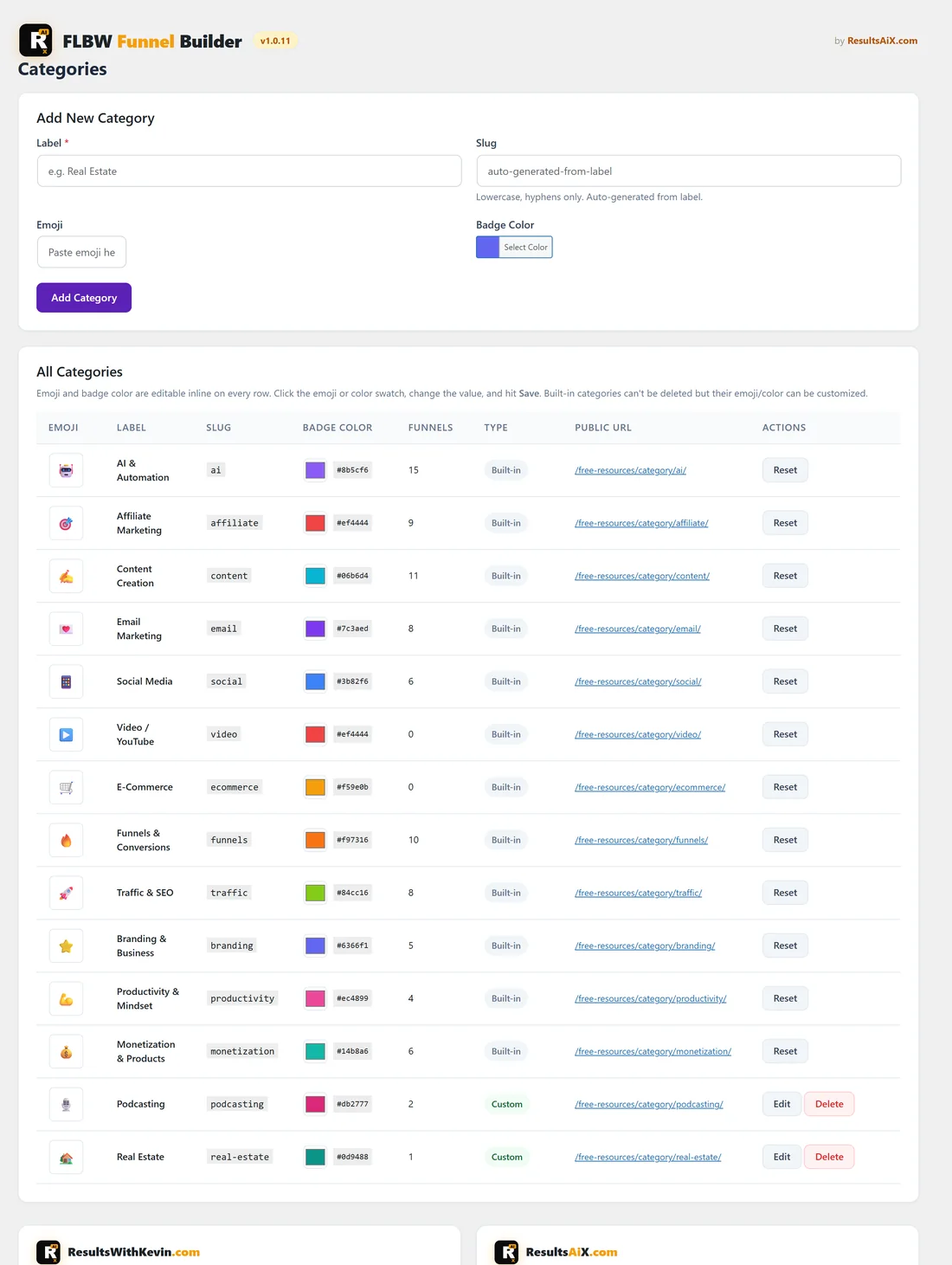
Open Free List Building, Categories in the WordPress sidebar. Before your first funnel, My Custom Funnels also links here with Manage Categories.
Add a new category:
- Type a Label (required), for example Real Estate.
- The Slug fills in by itself (real-estate). Lowercase letters, numbers and hyphens only. In a CSV you can use the slug or the label in the category column.
- Paste an Emoji if you want one.
- Pick a Badge Color.
- Click Add Category.
The All Categories table:
The table lists the 12 built-in categories and your own. Columns are Emoji, Label, Slug, Badge Color, Funnels (how many switched-on funnels use it), Type (Built-in or Custom), Public URL and Actions.
- Change the emoji or colour right in the row. A Save button appears; click it.
- Your own categories have Edit and Delete. Edit loads the category into the form at the top; click Update Category, or Cancel Edit. The slug stays fixed once a category exists. Delete asks Delete Category? and removes it when you click Delete.
- Built-in categories have Reset, which puts back the original emoji and colour.
- The Public URL is that category's page on your Showcase site, for example yoursite.com/free-resources/category/real-estate/.
A category that any funnel uses stays in place until those funnels move or are removed.
Duplicate Custom Categories Detected:
This box means one of your own categories has the same slug as a built-in one. Click Remove Duplicate. Funnels in it keep working through the built-in category.
A real example:
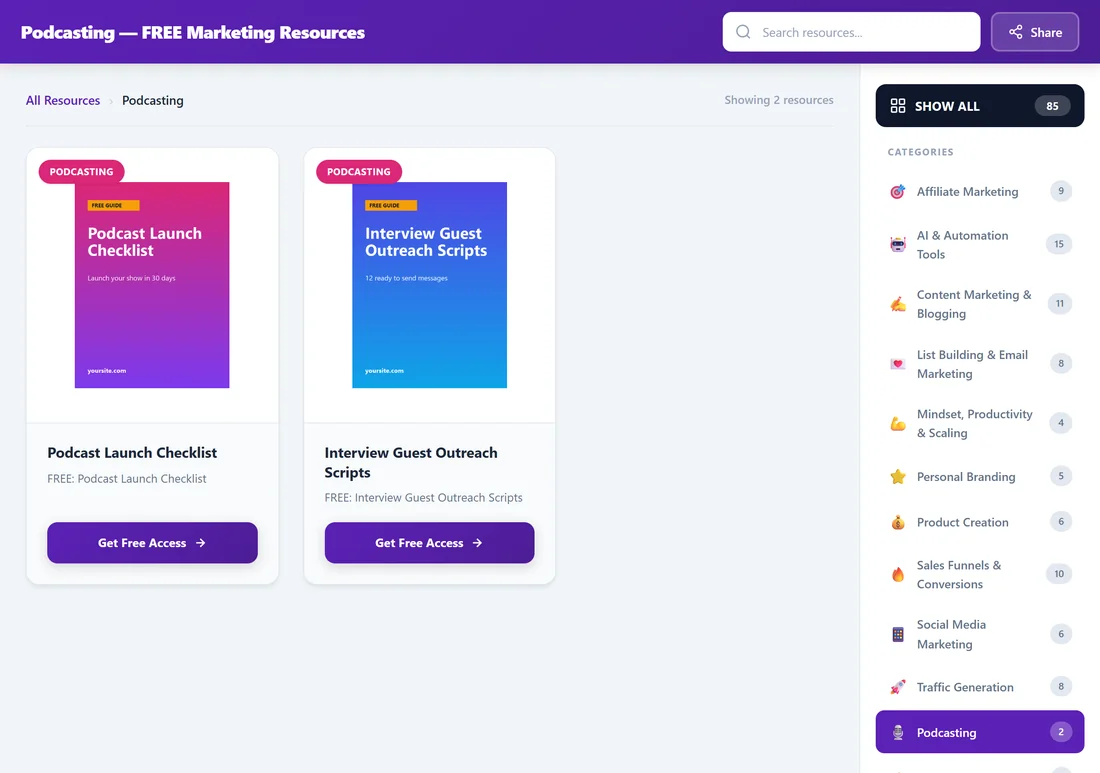
Sam added Podcasting with a microphone emoji and a pink badge, and Real Estate with a house emoji and a teal badge. Sam also changed the built-in Email Marketing emoji to a love letter and the badge to purple. On the Showcase, the Podcasting page lives at yoursite.com/free-resources/category/podcasting/ and lists both podcast funnels.
Tips:
- Add categories before a big CSV import so every row lands in the right place.
- Emoji and colour changes on built-in categories only change how they look on the Showcase page. The funnels themselves stay as they are.
- Share a category's Public URL when you promote a group of related guides.