When you have many funnels live, rebranding them one by one would take a while. Bulk rebranding does them all in one run, using the same CTA Page Settings for each and each funnel's own link.
Where to find it:
Open the PDF Rebrander tab and go to Select Funnels to Rebrand.
The three choices:
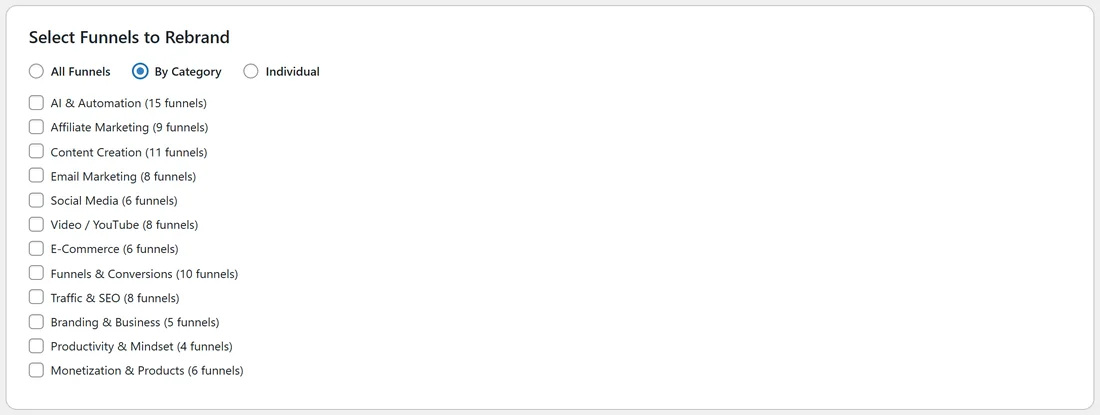
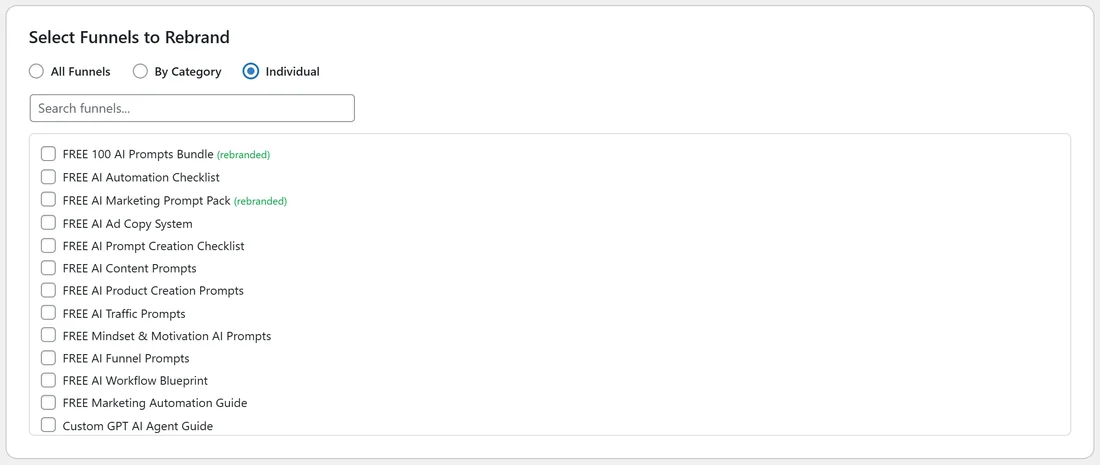
- All Funnels: every funnel with its files installed, including any that are switched off.
- By Category: a list of the 12 categories with their funnel counts. Tick one or more.
- Individual: a searchable list of every funnel. Tick the ones you want. Funnels already done show (rebranded).
Step by step:

- Save your CTA Page Settings (and Author & Copyright, if you use it).
- Choose All Funnels, By Category or Individual.
- For By Category or Individual, tick at least one box. The plugin asks you to select one if you forget.
- Click Start PDF Rebranding.
- Keep the page open while the progress bar fills. The status line shows which funnel it is working on, for example Rebranding 7 of 15.
- When it reads Done!, the count shows how many PDFs were rebranded.
How long it takes:
Each PDF takes a few seconds, and the plugin pauses half a second between them so your host is not rushed. All 96 funnels usually take a few minutes.
If the host is busy:
The plugin waits and retries the same PDF up to three times, after 2, 4 and 8 seconds, and the status line shows Server busy while it waits. Any funnel that still did not finish is listed with its reason in the final message. To finish them, choose Individual, tick those funnels and click Start PDF Rebranding again.
A real example:
Sam rebrands by category. Sam picks By Category, ticks Email Marketing (8 funnels) and AI & Automation (15 funnels) and clicks Start PDF Rebranding. The status counts up to Rebranding 23 of 23 and then reads Done! 23 of 23 PDFs rebranded.
Tips:
- Try a small batch first, check one PDF, then run the rest.
- On small shared hosting plans, smaller batches of 10 to 20 funnels at a time are kind to the server.
- Each run starts from the original PDF, so running a funnel twice never adds a second call-to-action page.
- See Resetting PDFs to Originals to go back to the plain PDFs.