The plugin uses two levels for sending subscribers. The default autoresponder and list cover every funnel. A per-funnel choice on a funnel's edit page replaces the default for that one funnel. This lets you keep things simple and still send special funnels to special lists.
Where to set the default:

- In Settings under General Settings: Default Autoresponder and Default List (or AWeber List Name when AWeber is chosen). Click Save Settings.
- Or on the Autoresponders tab: choosing a card's Default List, or using an Apply button, also sets the default.
The Default Autoresponder dropdown only lets you pick services that are connected; others show (Not Connected).
Where to set a per-funnel choice:
- Open the Funnels tab and click Edit on a funnel.
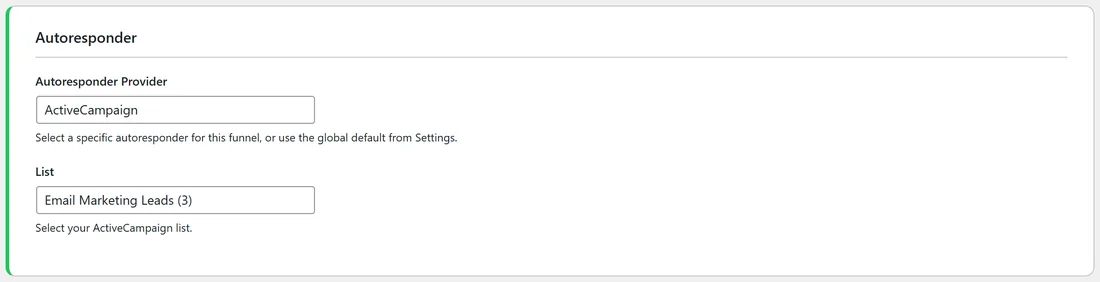
- In the Autoresponder section, choose a service in Autoresponder Provider. Use Global Default (followed by the default's name) keeps the default.
- Pick or type the list in the field below. Its label changes with the service: AWeber List Name, Audience for Mailchimp, Campaign for GetResponse, Form / Tag for ConvertKit (Kit), Tag for GoHighLevel and Systeme.io, Campaign Token, Sendiio List ID, LeadsLeap List ID (lllid) and so on.
- A green line shows which list the funnel is using now.
- Click Save Funnel Settings at the bottom.
How the plugin decides, for each opt-in:
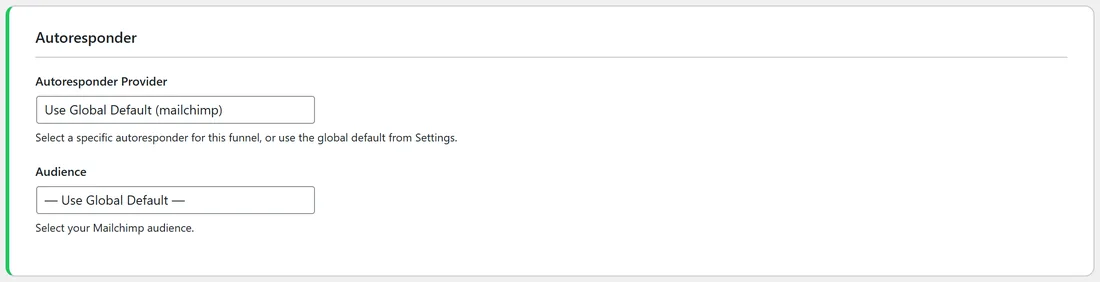
- The funnel's own service, if set, otherwise the default autoresponder.
- The funnel's own list, if set. Otherwise the list saved on that service's card for GetResponse (Campaign Token), Sendiio and LeadsLeap. Otherwise the default list.
Because there is one shared default list, give a funnel its own list whenever you give it a different service. The Lists tab shows the service and list every funnel will use, so you can check at a glance.
A real example:
On yoursite.com the default is Mailchimp with Your Site Newsletter. Four funnels have their own choice: FREE Email List Building Checklist goes to ActiveCampaign list 3, FREE 100 AI Prompts Bundle to a Kit form, FREE Niche Selection Guide to a GoHighLevel tag, and FREE AI Workflow Blueprint to AWeber with the tag ai-workflow. All other funnels follow the default.
Tips:
- Start with one default for everything, then add per-funnel choices only for funnels that need a different follow-up.
- Apply to ALL Funnels on a card replaces every per-funnel choice, so use Apply to Funnels Without a List when you want to keep them.
- See Funnel Connection Status to review every funnel's setup.