When a funnel uses an API provider such as Mailchimp, ActiveCampaign, GetResponse, ConvertKit, Brevo, GoHighLevel, Systeme.io, SendFox, Sendibl or Encharge, the plugin sends the email address to that provider the moment the visitor submits the form. If the provider does not accept it, the visitor sees a message in red under the form and stays on the page.
The message tells you what to check. The email address is still saved on your Lists tab, so the lead is not lost.
If you see "Could not subscribe. Provider: mailchimp, List: a1b2c3d4e5":
The provider refused the address for that list (the message names your own provider and list).
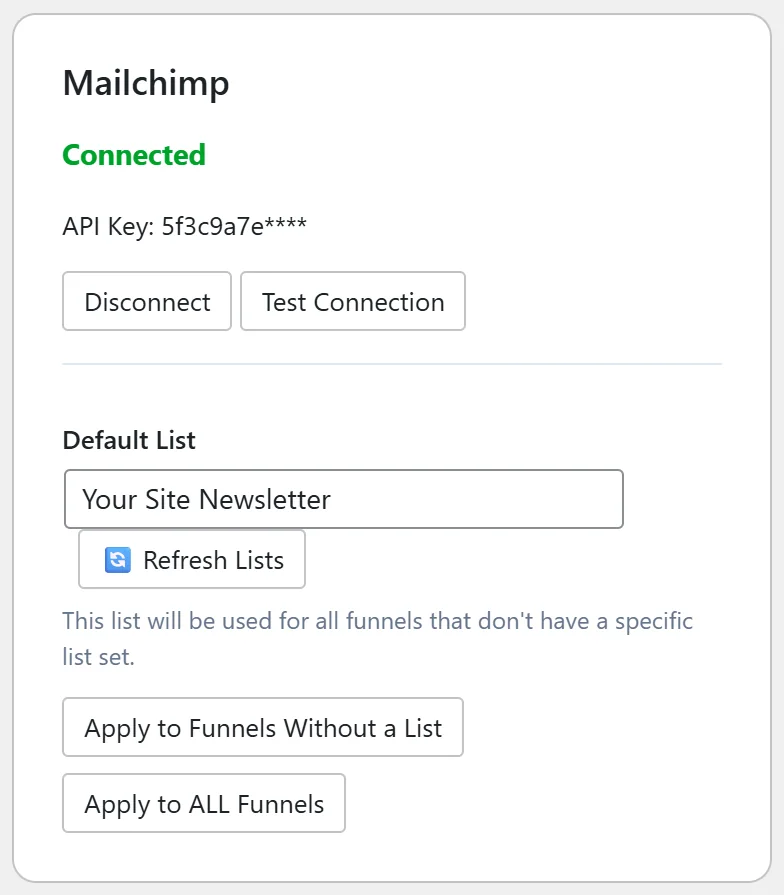
- Go to the Autoresponders tab and click Test Connection on that provider's card.
- Check that the list in the message still exists in your provider account. Click Refresh Lists on the card and choose the list again in Default List if it changed.
- Open Settings, Debug Log. The line for that opt-in includes the reply from the provider, which says exactly why, for example an invalid key or an unknown list.
If you see "Autoresponder (activecampaign) not connected.":
The funnel is set to a provider that has no key saved on this site. Connect it on the Autoresponders tab, or open the funnel's Edit page and pick a connected provider (or Use Global Default) under Autoresponder Provider.
If you see "No list selected. Please set a default list in List Builder Pro settings.": The provider is connected but no list is chosen. Choose a Default List on the provider's card, or in Settings under Default List, or set a list on the funnel's Edit page.
If you see "Please enter a valid email address.":
The visitor typed an address with a typo. Nothing to change on your side.
If you see "Invalid security token.":
The page was open for a long time or served from an old cache. Reload the page and try again. If it happens often, exclude your funnel pages from your caching plugin. See Plugin Conflicts.
A real example:
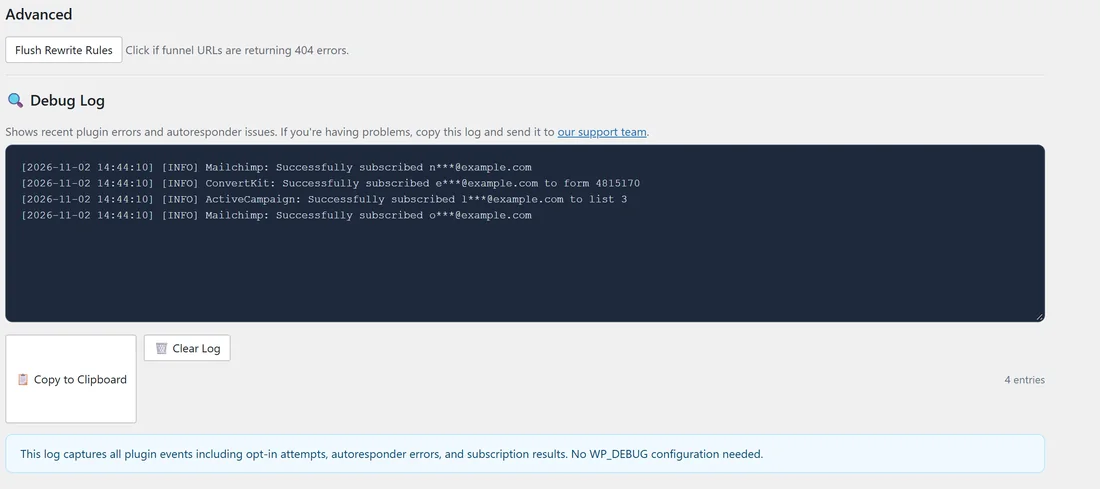
A Your Site visitor saw "Could not subscribe. Provider: activecampaign, List: 3". The Debug Log showed ActiveCampaign rejected the call because the API key had been replaced in the ActiveCampaign account. Sam clicked Disconnect on the ActiveCampaign card, pasted the new key, clicked Connect, and the next test opt-in worked.
Tips:
- Test each funnel once with your own spare address after you change autoresponder settings.
- The Lists tab, Funnel Connection Overview, shows the provider and list every funnel uses. See Funnel Connection Status.
- For AWeber, Sendiio, GetResponse (Campaign Token), LeadsLeap and Custom HTML Form, the form posts straight to the provider, so these messages do not appear. See "Emails Are Not Being Collected".